
Business operations
Run the practice without letting the practice run you.
ClickCoach connects the commercial and administrative work around coaching: prospects, client records, money, messages, documents, and reports. One update moves through the system instead of being copied into five tools.
Replace the Patchwork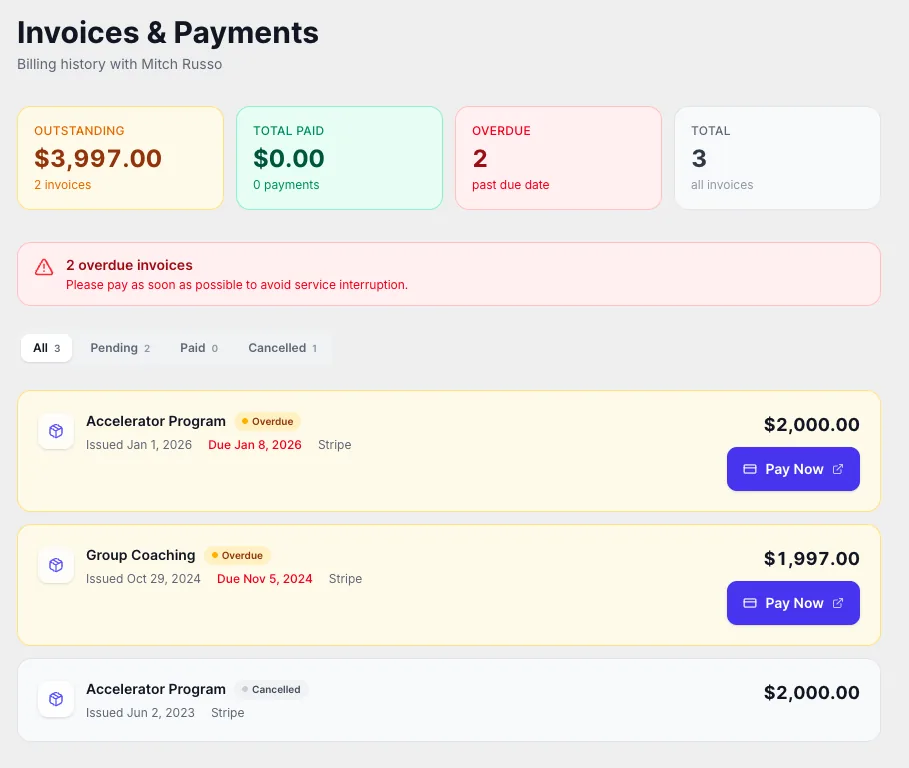
From inquiry to client
Know who needs attention and where they came from.
The built-in CRM keeps prospects alongside the practice they may join. Track follow-up dates, outreach history, sources, and conversion without maintaining a separate sales database.
- Prospects pipelineFollow-ups, message history, and a direct convert-to-client flow.
- Source attributionTag referrals, webinars, ads, and custom sources, then report on them.
- Client roster and profilesSearch active and archived clients with their complete coaching history.
- CSV importBring clients and prospects in bulk, assign groups, and send onboarding packages.
- Groups and lifecycleOrganize cohorts and archive inactive clients without losing the record.
Money and visibility
Get paid, stay informed, and keep the paper trail.
Stripe-backed billing and operational reporting live beside the client work they describe.
- Line-item invoices and due dates
- Recurring subscription products
- Client payment history and receipts
- Electronic signatures and sample agreements
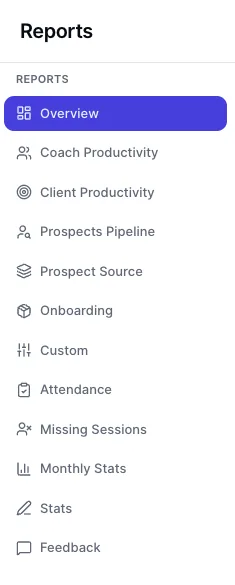
- Attendance, missing sessions, onboarding, feedback, productivity, and source reports
- Custom report builder and CSV-oriented exports
Communication and resources
Reach the right people without rebuilding the audience.
Send branded broadcasts to active clients, archived clients, prospects, or selected groups. Attach files from ClickCoach or Google Drive and preview the message before it leaves.
- Broadcast emailCommunicate with useful segments from the records already in ClickCoach.
- Branded templatesControl logos, header colors, alignment, and merge-tag content.
- Central file storageKeep lesson plans, client files, and reusable resources within the practice.
- Google Drive pickerAttach existing Drive files without re-uploading them.
- Automated remindersSupport appointments, homework, accountability, and stats follow-up.
The result
A business you can see without assembling it first.
Replace fragmented operating tools with one connected record of clients, work, money, and growth.