Every tool you'd otherwise duct-tape together

Stop running your coaching practice across
nine browser tabs.

$497/year at checkout 30-day money-back guarantee

ClickCoach client progress report with metric charts

One login. Sessions, accountability, client progress, courses, billing, broadcasts, and AI — finally in the same place. Built by a coach who ran 50+ coaches for Tony Robbins and Chet Holmes.

Everything below replaces a tool you're already paying for. Most coaches who switch cancel 3–5 subscriptions in their first month.

A week inside ClickCoach

Most software demos hand you a feature list and ask you to imagine the workflow. We'd rather show you the workflow and let you find the features inside it.

Here's what a normal week looks like for a coach running their practice on ClickCoach.

Monday morning — you open one tab, not nine.

You log in once. The dashboard tells you which clients submitted last week's homework, who logged their stats over the weekend, and who's gone quiet. Three new prospects came in through your contact form — they're already in your pipeline with the source tagged.

You spend twelve minutes triaging. The thing that used to eat your whole Monday morning is done before your second coffee.

Tuesday — your 10am session.

You open the live session workspace one minute before the call. The screen already shows last week's summary, this week's homework status, the client's stats charts trending up and to the right, and the three accountability questions you flagged on Friday. Everything you need is in front of you. You don't open another tab.

The session runs. You type a few lines of notes as the client talks. A breakthrough happens at minute 22 — you mark it, attach it to next week's focus.

When you hang up, you click one button. AI cleans up your shorthand, composes the perfect accountability questions for this client this week, then drafts next week's homework, and emails it from your branded template. The client gets it before they've left their desk.

Wednesday afternoon — the admin disappears.

You send next week's homework to four other clients with one click each. AI suggested the focus for each one based on this week's notes. The new client who signed last Friday got her welcome package automatically — onboarding steps, intake assessment, payment terms, signed agreement, all done while you were sleeping.

An invoice paid itself overnight. The receipt is already attached to that client's record. You did not touch your inbox.

Thursday — your group cohort runs itself.

You broadcast a Loom recap to all twelve clients in your group program. The two new members who joined this week were auto-enrolled in the course module everyone else watched last month — they're caught up without you lifting a finger. The aggregated stats report for the cohort lands in your inbox. You actually read it because it took you eight seconds to open. See how ClickCoach supports group coaching cohorts.

Friday — the renewal conversation that sells itself.

Sarah's three-month engagement is up. Five months ago you would have walked into that call hoping she'd say yes.

This time you open her progress page first. Revenue line up 34%. Energy score steady at 8 out of 10. Sales calls booked tripled. The chart is sitting there. You don't have to sell the renewal. The chart did.

She signs for another six months before you finish the slide.

The four things that make coaches switch

Four reasons coaches switch to ClickCoach.

Every other feature in the platform supports these four. Get these right, and the rest is just a matter of convenience.

Sessions that practically run themselves.

The live session workspace is the room where your coaching actually happens. Everything you need is already there before the call starts — and AI does the cleanup after.

What you get in every session
  • Pre-session brief loads automatically: last summary, homework status, client's current stats, and the questions you flagged for this call
  • Rich-text notes with a timer, file attachments, and recording link — all in one panel
  • AI cleans up your notes before homework goes out, generates next week's accountability questions, and tells you what to focus on next time
  • Reusable accountability question library organized by category — never type "so how did this week go" again
Everything in one screen. Zero tab-hopping.

Progress your clients can actually see.

Define what "progress" means for your coaching — revenue, energy, hours slept, sales calls booked, weight, whatever. Your client logs it from their phone. The chart shows up beside your session notes.

Renewal conversations get a lot easier when the line is going up.

How progress stays visible
  • Up to 10 custom metrics per client — you name them, you color them
  • Clients log values from their mobile portal in 15 seconds
  • Stacked mini-charts appear inside your live session view, not buried in a report
  • Monthly stats report compares every client over time — see who's actually moving
The chart is your testimonial. Clients can see exactly what changed.

A client portal they'll actually open.

Most "client portals" get logged into twice and forgotten. ClickCoach's portal is a mobile-first PWA — your clients install it like a native app on their home screen.

Why clients keep coming back
  • Branded with your logo, colors, and themes — looks like your software, not ours
  • Homework, stats entry, courses, invoices, and quick-access buttons in one tap
  • Prospects get a limited-access version before they convert — keeps them warm
  • Pay invoices via Stripe directly in the portal, no email round-trip
Installed on their home screen. Opened every week.

Get paid without the awkward conversation.

Stripe-backed invoicing, subscriptions, and e-sign contracts — all sitting next to the client they belong to. No more chasing receipts in your inbox.

Billing built into the client record
  • One-time invoices and recurring subscription plans, line-item billed with branded email templates
  • e-sign coaching agreements with sample contracts pre-loaded — done in one session
  • Hosted invoice fallback for clients who can't open the portal
  • Payment history attached to every client record automatically
Invoices, subscriptions, and signed agreements — next to the client they belong to.

Everything else, still included

Ten more capabilities behind the four reasons.

Open any row for specifics. None of these are upsells — they're part of the same login.

๐Ÿ‘ฅ Clients, prospects & CRM

A searchable client roster with full profiles, plus a real prospects pipeline (follow-ups, outreach history, source tracking, convert-to-client flow).

  • Built-in prospects pipeline — kill your separate CRM
  • Source-attribution reporting on every prospect
  • Groups for cohort programs, broadcasts, group-level reports
  • Multi-coach company accounts with permissions
๐ŸŽ“ Learning (courses)

Hierarchical course builder — courses → modules → lessons — with rich text and embedded video. Enroll individuals or entire groups. Auto-enroll new group members. Progress shows on the dashboard.

  • Unlimited courses, modules, lessons, quizzes
  • Multiple choice or narrative questions
  • Native portal learning area
  • Stop trading time for money — your wisdom keeps working offline
๐Ÿ“ฃ Communication & broadcast

Branded broadcast email to active clients, archived clients, or prospects — filterable by group. Postmark-backed delivery. No separate email tool.

  • Group-filtered broadcasts
  • Email preview before sending
  • Prospect outreach log on every lead
  • Branded headers, colors, alignment
๐Ÿ“Š Reports & analytics

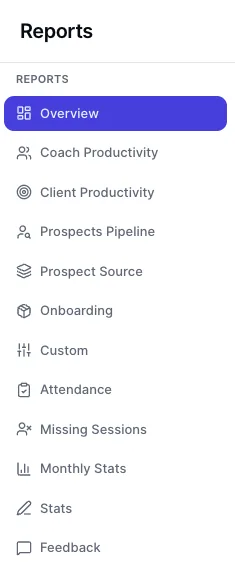
Monthly stats, productivity, attendance, onboarding completion, feedback, and prospect-source reports — plus CSV export.

  • Operational dashboard for multi-coach companies
  • Aggregated calendar view across the team
  • Per-source ROI on prospect channels
  • The numbers you used to fake-confidence on calls — now real
๐Ÿค– AI in the session

AI woven into the workflow, not bolted on as a chatbot.

  • Perfectly designed accountability questions
  • "This week's focus" suggestion before each call
  • One-click rewrite for clarity and tone
  • Question generation from session content
  • In-app AI assistant trained on the product
๐Ÿงพ Assessments & evaluations

Performance & evaluation library, custom assessments, and client responses in admin.

  • Ready-made evaluation templates
  • Starter assessments for new accounts
  • Custom terminology across coach + portal
  • Intake, mid-engagement, and outcome measurement
๐Ÿท๏ธ Branding & white-label

Logo, colors, multi-coach teams, and delegated admin.

  • Partner-specific URLs for multi-tenant deployments
  • Rich coach profiles with tags, testimonials
  • Granular section access for delegates
๐Ÿ”Œ Integrations & automation

Calendar sync, webhooks, API keys, and built-in endpoints for GoHighLevel and Groove.cm.

  • Stripe for payments & Connect-style coach billing
  • Google Drive picker for broadcast attachments
  • Per-client Zoom links on profiles
  • Webhook + API access included, not upsold
๐Ÿ“‚ File storage & resources

Central library for PDFs, Office docs, lesson plans — opened inside live sessions.

  • Mark files as lesson plans for fast session access
  • Share files with specific clients via portal
  • Quota-based storage included
  • Files live next to the conversation, not in Dropbox
  • e-sign and contract library included
๐ŸŽ Onboarding & extras

Onboarding packages, convert-prospect flow, homework comments, and in-app help center.

  • Send onboarding packages on import
  • Token-based comment threads on assignments
  • Standard auth + role-based access
  • Help center mirrors the product, in-app
  • Lesson plan library for rapid deployment while in session

Section 5 · What ClickCoach replaces

Cancel these. Keep your money.

The average coach we onboard was spending $280–$420 per month across the stack below. ClickCoach replaces all of it for less than half of that.

Tools you're probably paying for — replaced by ClickCoach

  • Calendly / Acuity Calendar workspace + Google/Outlook two-way sync
  • Paperbell / HoneyBook / invoice apps Native Stripe billing + subscriptions + e-sign contracts
  • Notion / Google Docs / shared folders Session workspace + central file storage tied to each client
  • ConvertKit / Mailchimp Branded broadcast email, filtered by group
  • Typeform / Google Forms / JotForm Native assessments + intake forms
  • Teachable / Thinkific / Kajabi courses Built-in LMS with group auto-enroll and quizzes
  • Separate CRM (HubSpot / Pipedrive) Prospects pipeline with source attribution and convert-flow
  • Dropbox / Google Drive for client files Files attached to clients, openable inside live sessions
  • DocuSign / HelloSign e-sign with pre-loaded sample agreements
  • ChatGPT tabs you keep switching to AI inside the session — not a side window, fully integrated

What coaches ask before they switch.

"This looks like a lot. Is the learning curve real?"

You'll run your first real session through ClickCoach within a day. The session workspace is the only screen you have to learn to start — everything else (billing, courses, assessments, broadcasts) you turn on when you need it. Most coaches use 40% of the platform in month one and gradually adopt the rest.

"I already have clients in [Calendly / Practice / Notion]. How do I switch?"

CSV import for clients and prospects. Sample contracts and evaluation templates pre-loaded. Onboarding packages you can send in bulk. We've moved coaches off six-tool stacks in under a week — we'll help you do the same.

"Is this overkill for a solo coach?"

Solo coaches are who we built this for first. Multi-coach companies just inherited it. You'll use sessions, stats, portal, and billing from day one — and grow into the rest as you scale.

"What if my clients won't use another app?"

The portal installs like a native app on their phone — no app store, no friction. Or they load a full-featured client portal on their desktop browser. For mobile, they get a single link, tap "Add to Home Screen," and it lives next to Instagram. Stats entry takes 15 seconds. Coaches consistently tell us this is the first portal their clients have actually opened twice.

"What about the data I already have?"

Import what's worth importing. Leave what isn't. We don't lock you in — full export at any time, webhooks for everything, and an API included on every plan.

ClickCoach reports menu

The competitive picture

How ClickCoach stacks up.

Most "lite" tools (Paperbell, simple CRMs) cover scheduling + payments + a basic portal. Accountability-focused platforms (CoachAccountable-class) go deeper on assignments — but stop short of the stats, courses, broadcasts, and AI that make a modern practice run.

  • Session notes & homework: rich text + templates + AI assist
  • Stats / goals: full config, in-session charts, monthly reports
  • Prospects pipeline: built in, with source attribution
  • Courses / LMS: native, with group auto-enroll
  • AI in session: notes, questions, focus, in-app help
  • Multi-coach + white-label: included, not enterprise-only

Get the full platform.

Every feature, unlocked. No "core vs. pro" tier games. Built to help you reclaim 12+ hours a month from the first weeks you run on it. 30-day money-back guarantee — your risk-free trial.

Expanded ClickCoach screenshot preview