

Yes, a properly configured white-label client portal is worth adopting for coaches and service businesses that want to centralize client work in one place. But the label “white label” gets applied loosely, and one test cuts through the marketing noise fast: does the portal live entirely on your domain, send email from your domain, and hide every vendor trace, or does it just swap in your logo on top of someone else’s branding?
That distinction, confirmed across multiple buyer guides, is the difference between a real white-label client portal and a cosmetic one wearing your colors.
Before you sit through another sales demo, do this:
- Ask for a live demo on a test subdomain that carries your domain, not the vendor’s.
- Send a test client notification and check the “from” address and inbox placement.
- Open a sample PDF export and scroll to the footer looking for the vendor’s name or logo.
If any of those three checks fail, you are looking at a branded skin, not a branded platform.
Key Takeaways
A white-label client portal earns its place in a coaching practice only when domain ownership, authenticated email, and audit trails work correctly, not just when the logo looks right.
| Point | Details |
|---|---|
| Test before you trust | Request a branded test domain and a live audit log during any demo, not a slide deck description. |
| Email authentication is non-negotiable | Confirm SPF, DKIM, and DMARC pass so client notifications land in the inbox, not spam. |
| Governance decides adoption | Assign one internal owner and run a four to six week pilot with two or three friendly clients. |
| Cost scales with complexity | Budget for setup and onboarding time beyond the subscription price, and confirm exit and export terms in the contract. |
| ClickCoach maps to the checklist | Its coaching-specific client portal combines branding, secure files, and session workflows in one platform built for coaches, not general project management. |
Table of Contents
- What Makes a White Label Client Portal Actually White Label
- The 9 Features To Insist On In Any Demo
- How Do You Evaluate A White Label Client Portal Vendor?
- Branding Mechanics Explained For Non-Engineers
- Security And Compliance Signals Worth Requesting
- A Rollout Plan That Prevents Portal Failure
- What Does A White Label Client Portal Cost?
- Why Coaches Overthink Branding And Underthink Verification
- How ClickCoach Fits This Checklist
- Sources
- FAQ
What Makes a White Label Client Portal Actually White Label
Most vendors selling a “branded client portal” mean you can upload a logo and pick an accent color. That is cosmetic branding, and it is not the same thing as operational white-labeling. A genuine white-label client portal puts your brand across the login domain, the email sender address, PDF exports, and the mobile view, with zero “powered by” language anywhere a client can see it, according to buyer-checklist research from Alkmist.
The confusion runs deeper than branding, too. A lot of tools marketed as “client portals” are really just shared folders with a login screen. A real portal functions as an interaction hub: messaging, e-signatures, approvals, secure file exchange, and automated workflows all living in one place, not scattered across email threads and a Dropbox link, as Moxo’s analysis of client portal software points out. If a vendor’s demo only shows you a file list, ask what happens when a client needs to approve a contract or fill out an intake form. The answer tells you a lot about how far the white-labeling actually goes.
The 9 Features To Insist On In Any Demo
Score every vendor demo against this list before you sign anything. Skip a category and you are buying blind.
- Branding depth — custom domain, no “powered by” footer, branded PDF exports, and a branded mobile view, not just a logo in the corner.
- Email-from-domain — messages sent from your address, authenticated with SPF, DKIM, and DMARC so they land in the inbox instead of spam.
- Secure file sharing — version control and role-based access so clients only see what they are supposed to see.
- Workflow tools — e-signatures, intake forms, approvals, and a status dashboard clients can check without emailing you.
- Audit trail and logs — a record of uploads, views, and approvals you can pull up if a client disputes a deliverable.
- Integrations — CRM, accounting, and single sign-on so the portal fits your existing stack instead of becoming a silo.
- Mobile white-labeling — a mobile experience that still looks like your business, not a third-party app icon.
- Data exportability and residency — a clear answer on where your data lives and how you get it out if you leave.
- Admin controls — granular permissions, SSO, and two-factor authentication for anyone with staff access.
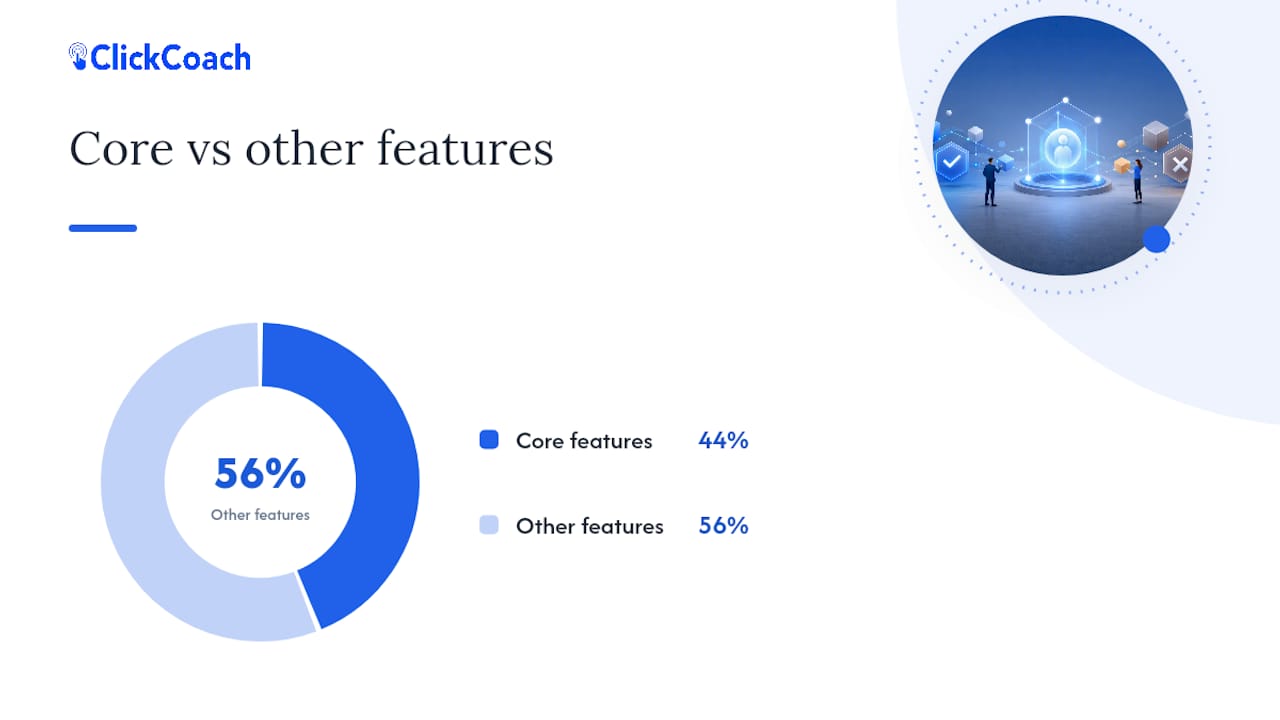
These four (custom domain with automatic SSL, email-from-domain, logo and color coverage, and removed platform branding) show up consistently across agency playbooks on client portal features as the non-negotiable core. Everything else on the list separates a good portal from a merely adequate one.
Pro Tip: Ask the vendor to show you an audit log during the demo, not just describe it. If they can’t pull one up live, it probably doesn’t exist in the form they’re claiming.
How Do You Evaluate A White Label Client Portal Vendor?
Buying on a features PDF gets you burned. Run this sequence instead, and treat each step as a gate the vendor has to pass before moving to the next.
- Define your brand surfaces. Decide upfront which touchpoints must carry your brand: login page, emails, PDFs, mobile view. Write it down so no one forgets during the sales call.
- Set your security baseline. Encryption at rest and in transit, a stated data residency policy, and any compliance certifications your industry requires.
- Request a branded test domain. A serious vendor can spin up a working subdomain with your name on it within a day or two. If they can’t, that’s a red flag on their operational maturity, not just a scheduling issue.
- Confirm SSL and CNAME behavior. The certificate should provision automatically once the CNAME record points to the vendor. Manual SSL setup that takes weeks is a sign of a clunky, dated white-label pipeline.
- Send a test notification. Check the sender address and confirm SPF/DKIM pass, per the technical checklist in Refact’s buyer’s guide.
- Pilot with two or three friendly clients before rolling out to everyone.
Before signing, get clear answers on:
- Who owns the data, and in what format you can export it.
- What happens to branding and access the day you cancel.
- Whether white-label rights are guaranteed contractually or just implied in a sales deck.
Branding Mechanics Explained For Non-Engineers
You don’t need to be technical to verify this, but you do need to know what the acronyms mean.
A CNAME record is a DNS entry that points your subdomain (like portal.yourbusiness.com) to the vendor’s servers. Set it up correctly and the vendor’s system serves your portal under your own web address. The good vendors provision an SSL certificate automatically once that CNAME is live, so your clients see a secure padlock icon with your domain, not a scary browser warning.
SPF, DKIM, and DMARC are email authentication records that tell inbox providers your emails are legitimate. Without them, notifications from a supposedly white-labeled portal often land in spam or show a “via [vendor name]” tag right next to your business name, which undercuts the whole point of white-labeling, as Refact’s technical checklist explains.
Vendor traces hide in predictable places: the footer of a PDF export, the small print under a login button, or an app store listing for the mobile experience. Check all three before you assume the branding is complete.
- Who should own DNS and SSL setup? In most cases, your IT contact (even if that’s just you or a virtual assistant) makes the DNS change, and the vendor handles SSL provisioning and certificate renewal.
- Negotiate this explicitly in the contract, including who’s responsible if the certificate lapses and clients suddenly see a security warning.
Pro Tip: Run your portal’s login page and PDF exports through a basic color contrast checker. W3C’s accessibility guidance on contrast applies just as much to your branded portal as it does to any public website, and poor contrast creates friction for clients who need it least.
Security And Compliance Signals Worth Requesting
Encryption at rest and in transit is the floor, not a selling point. Any vendor handling client files and payment information should have both by default. If a sales rep presents basic encryption as a differentiator, that’s worth noting as a gap in their competitive set, not a reason to sign.

Independent audits matter more than marketing pages. A SOC 2 report or ISO 27001 certification means an outside party actually reviewed the vendor’s controls. Ask to see the audit summary, not just a badge on the website. Vendors that resist sharing even a redacted version of the report are usually hiding something, or haven’t actually completed the audit they’re implying.
Audit trails deserve specific attention. They log uploads, approvals, and views, and they give you an objective record when a client disputes what was delivered or when. That protection matters most in high-value engagements where “I sent that to you weeks ago” needs proof, not just your word.
Before you commit:
- Request the vendor’s security whitepaper and read the incident response section, not just the encryption claims.
- Ask for a summary of their most recent independent audit.
- During your pilot, request actual log access so you can see what a dispute resolution would look like in practice.
A Rollout Plan That Prevents Portal Failure
Most portal rollouts fail quietly. Clients keep emailing, staff keep replying in their inbox, and six months later the portal is a line item nobody uses. Weak governance, not weak software, is usually the cause, according to agency guides that study why adoption stalls.
- Name one internal owner. Someone has to be responsible for enforcement, or the portal becomes optional by default.
- Run a defined pilot. Pick two or three friendly clients, set clear success metrics, and give it four to six weeks before judging results.
- Write staff scripts. Train your team to respond to portal-appropriate emails with “I’ve added that to your portal” instead of just answering in their inbox.
- Simplify client onboarding. Use magic links instead of forcing password creation, and send a short how-to email before the first session, not a long manual nobody reads.
- Review usage monthly. Track feature adoption and collect client feedback so the portal keeps earning its place in your workflow.
The right success metric isn’t login counts. It’s the percentage of client actions happening inside the portal versus email, which tells you whether the habit has actually shifted.
Pro Tip: Give your pilot clients a single sentence explaining why the portal exists: “This keeps your files, notes, and next steps in one secure place instead of scattered across email.” That one line does more for adoption than any feature list.
What Does A White Label Client Portal Cost?
Budget expectations vary widely, but white-label implementations generally run from modest monthly subscriptions up to a meaningfully higher multiyear total cost, with custom builds costing several times more and only paying off at real scale.
Watch for hidden costs beyond the sticker price:
- DNS and email authentication setup time, especially if your IT support is limited.
- Client onboarding effort during the first few pilot cycles.
- Integration work if you need the portal talking to your CRM or accounting software.
- Iteration costs if your first branding pass needs revisions after client feedback.
For most solo coaches and small practices, buying a portal that’s already built for white-labeling beats building one from scratch. Building only makes sense at a scale or workflow complexity most independent coaches never reach. Embedding a portal into an existing platform sits in between: less setup than a custom build, less flexibility than a dedicated product.
Contract terms matter as much as the monthly price. Confirm white-label rights are guaranteed, not implied; nail down what exit and data export looks like; and get clarity on whether the vendor’s own uptime commitments pass through to you.
Why Coaches Overthink Branding And Underthink Verification
The conventional advice on white-label portals fixates on visual polish: logo placement, color matching, font choices. That’s the least important part of the decision. What actually determines whether a portal works long term is whether the technical foundation, domain, email authentication, audit logs, holds up under real use.
I’d argue most buyers spend their evaluation time backward. They spend an hour picking a color palette and five minutes checking whether SPF and DKIM are configured correctly. Then they’re surprised when client notifications land in spam three months in, or when a dispute comes up and there’s no audit trail to settle it.
Coaches and small professional-services teams don’t need the deepest feature set on the market. They need the shortest path to a portal clients will actually use instead of falling back on email. That means prioritizing deliverability, domain ownership, and a governance plan over aesthetic customization. Get the boring technical checks right first. The branding will follow naturally once the foundation is solid.
— Mitch Russo
How ClickCoach Fits This Checklist
ClickCoach was built specifically for coaches running client work, not repurposed generic project software with a coaching label slapped on. Its client portal software covers the branding and workflow pieces this guide walks through: a branded client-facing space, secure file sharing, and session workflows that live in the same system as billing and progress tracking, rather than in three disconnected tools.
Here’s a four-step pilot you can run in under a month. First, involve whoever handles your domain settings (even if that’s just you) to confirm the branded portal setup during onboarding. Second, send a test client notification and check that it lands correctly. Third, invite a small number of current clients to try the portal for their next round of homework and session notes instead of email. Fourth, measure how much of that activity moves out of your inbox and into the portal over two to three weeks.
Track adoption honestly. If clients keep emailing instead of using the features built for coaching practices, that’s useful information, not a failure. If you want to see how the full coaching business management platform handles the rest of your practice alongside the portal, a trial will show you faster than another sales call.
Sources
- How to Choose a White-Label Client Portal in 2026 │ Alkmist
- White Label Client Portal: A Buyer’s Guide | Refact
- What is a client portal? Everything you need to know in 2026 | Moxo
- W3C/WAI contrast guidance
FAQ
Which White Label Client Portal Software Is The Best?
There’s no single best option for every business. The right choice depends on whether the vendor passes the domain, email authentication, and audit trail checks this guide outlines, and whether it fits your specific workflow, like coaching sessions and progress tracking for ClickCoach.
What Is A White Label Client?
The term usually refers to the end client using a white-label product without seeing the underlying vendor’s branding anywhere in their experience, from login to email to exported documents.
Which White Label Payment Gateway Is The Best?
Payment gateway selection depends on transaction fees, supported currencies, and integration with your existing billing system, and it falls outside the scope of client portal branding covered here.
How Does A Client Portal Work?
A client portal gives clients a secure, branded space to view files, complete forms, sign documents, and message their provider, replacing scattered email threads with one centralized hub for the relationship.