

Yes, switching coaching software is worth it when your current platform is costing you more than it saves, whether in dollars, missing features, or the hours you lose to manual work. The recommended path is a staged migration: test the new platform, pilot it with a handful of clients, then batch-migrate everyone while keeping the old system in read-only mode. Full data portability and a written migration playbook are what separate a clean switch from a client exodus.
TL;DR:
- Clients should be notified of the switch only after pre-loading accounts and running thorough pilot tests to avoid client loss from surprise announcements.
- Export all key data, including client rosters, check-in history, program templates, billing records, progress photos, and coaching notes before canceling the old platform.
- Run a full billing cycle with the new platform during the pilot phase to identify silent payment failures and ensure smooth financial transitions.
- The full migration process typically takes 1 to 6 weeks depending on roster size, with most time spent building, importing, and personal outreach.
- A staged approach with clear communication, personal outreach, and careful billing management minimizes client churn and makes the switch more effective.
Table of Contents
- How Do You Switch Coaching Software Without Losing Clients?
- What Should You Export Before You Cancel Your Old Platform?
- What Tests Should You Run Before Announcing the Switch?
- How Do You Communicate the Switch to Clients?
- How Do You Handle Billing During the Migration?
- How Long Does a Coaching Software Migration Actually Take?
- Why the Choreography Matters More Than the Tech
- How ClickCoach Fits Into Your Migration
- Sources
- FAQ
How Do You Switch Coaching Software Without Losing Clients?
A staged migration typically takes a few weeks, varying with the size of your roster. The sequence matters more than the speed. Here is the order that keeps clients calm and your books straight.
- Define the problem the switch solves. Write down the specific issue, rising fees, missing progress tracking, no branded portal, and set one success metric, like cutting weekly admin time by a fixed number of hours.
- Audit what actually needs to move. That means active clients, core program templates, billing records, and any documents clients reference regularly. Archived or inactive clients rarely need to migrate.
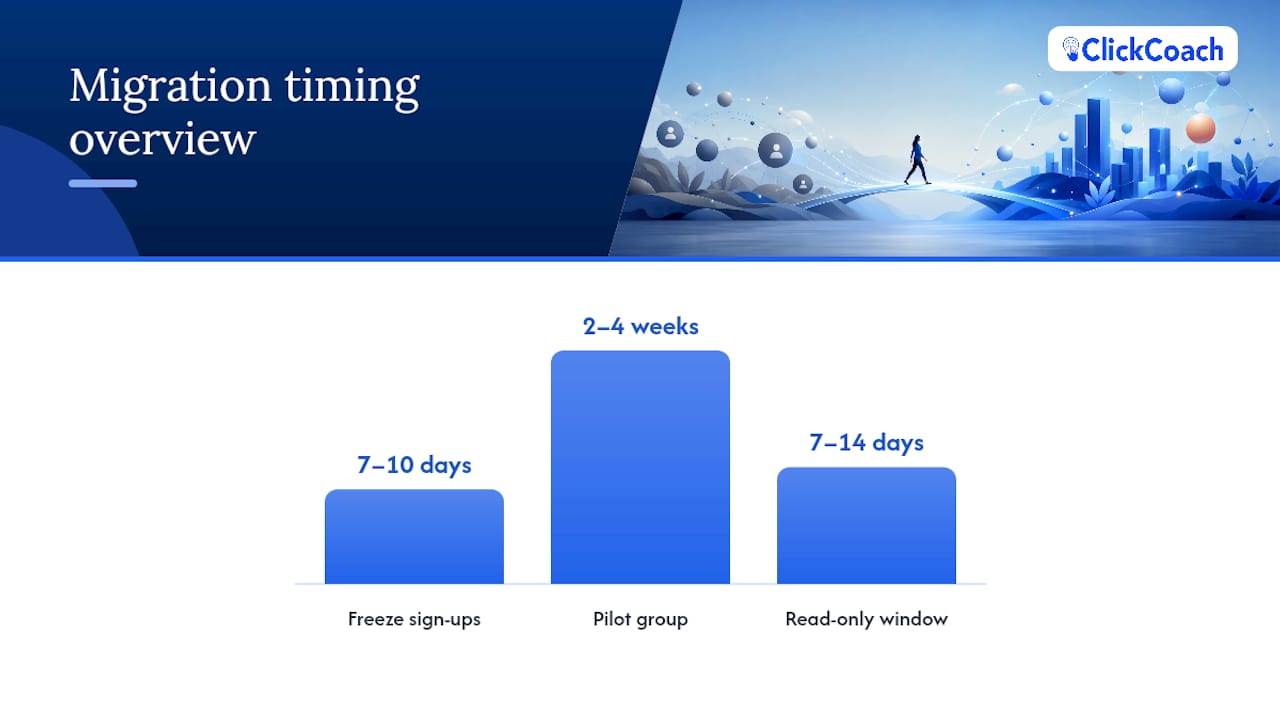
- Pick a hard switch date. Freeze new client sign-ups on the old platform 7 to 10 days before that date so you are not onboarding people twice.
- Pre-load accounts silently. Build client profiles and programs in the new platform before anyone knows it exists, then pilot with 3 to 5 clients for 2 to 4 weeks.
- Batch migrate the rest. Cancel old subscriptions the same day new billing starts, and keep the old platform in read-only mode for 7 to 14 days in case you need to check a record.
Announcing the switch before pre-loading client data is the most common reason coaches lose clients during a transition, according to the 2026 migration playbook from Vantage Digital. Clients don’t mind a new tool. They mind finding out about it the same day they’re expected to use it.
Pro Tip: Run your pilot group through a full billing cycle, not just a login. A payment that fails silently on day one is far cheaper to fix than one that fails for 40 clients on migration day.
What Should You Export Before You Cancel Your Old Platform?
Most coaching platforms will hand over a basic client roster as a CSV file. Far fewer will let you export the data that actually shows your work: check-in history, progress photos, and coaching notes in a usable, structured format, according to a 2026 audit of ten coaching platforms. Export completeness is the single biggest factor in how long a migration takes and how much manual re-entry you’re stuck doing afterward.
Before you cancel anything, confirm you have:
- Client roster as a CSV including names and contact information.
- Check-in history covering recent activity.
- Program templates backed up as CSV, JSON, or PDF.
- Billing history covering a relevant recent period.
- Progress photos exported as actual image files.
- Coaching notes, if your platform stores them separately from check-ins.
CSV works fine for tabular data like rosters and billing. JSON is better for structured workspace exports like program templates. Photos should come as a zipped folder, not a single combined PDF, which is nearly impossible to parse later. The audit named Assistant Coach and CoachRx as two platforms with stronger self-serve exports in 2026, while others still gate structured data behind a support ticket. If your current provider requires a ticket just to get your own client history, treat that as a warning sign about how it will handle a future export request, too. Platform ownership changes and acquisitions happen often in this space, and portability you assumed you had can disappear with a new owner.
What Tests Should You Run Before Announcing the Switch?
Set up a test coach account and run it exactly like a real one: real check-ins, a real program delivery, and a mock payment. Then hand it to 3 to 5 actual clients or internal testers for 2 to 4 weeks and watch three things closely: how quickly they install or log in, how many check-ins they actually complete, and where they get stuck.
Before you tell a single client the switch is happening, confirm:
- Payment flow processes correctly, including any trial or proration logic.
- Program templates render the way you built them, not a stripped-down version.
- Client notifications actually arrive, not just log in the backend.
- Session notes save and stay attached to the right client record.
- A sample data import matches the source records field for field.
Skipping the pilot is how coaches discover a broken notification system on migration day instead of during a quiet two-week test window. Running both platforms in parallel briefly during this stage is a widely recommended practice for preventing exactly that kind of surprise.
How Do You Communicate the Switch to Clients?
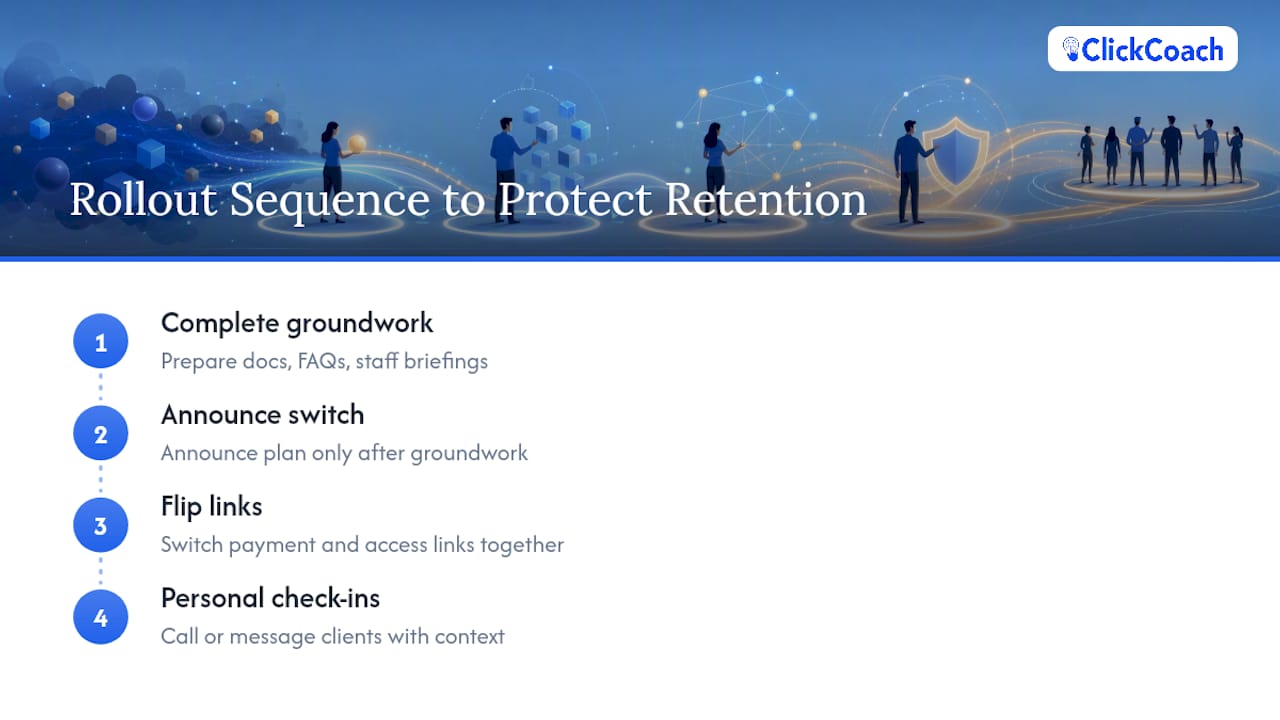
Keep the early work invisible. Preload client accounts and run your pilot before you say a word publicly, then handle the announcement in a specific order.
- Record a short video. A 60 second, coach recorded clip explaining the switch retains clients far better than a templated email from a vendor, based on migration research from Vantage Digital. Clients respond to your face and your voice, not a feature list.
- Pair it with a short written note. One paragraph covering what changed, when it takes effect, exactly what the client needs to do, and a line of reassurance that nothing about your coaching relationship is changing.
- Follow up personally with your top clients. Reach your five most engaged or highest-value clients individually within 3 to 5 days after cutover, by phone or a direct message, not a group email.
- Leave the old platform read-only for 7 to 14 days. This covers edge cases like a client who logged a workout the day before cutover or a receipt someone needs for reimbursement.
Framing the switch as an upgrade in plain language, rather than leaning on technical reassurance, does more to calm nervous clients than any amount of backend detail.
Pro Tip: Send the video and note on the same day you flip the switch, not before. A gap between “we’re switching soon” and “we’ve switched” is where anxious clients start asking questions you can’t yet answer.
How Do You Handle Billing During the Migration?
Billing mistakes are the fastest way to turn a smooth migration into an awkward client conversation. Coordinate with your payment processor, Stripe or a similar provider, to reconnect existing cards on file wherever the new platform supports it. Start new billing the exact same day you cancel the old subscription so no client sees two charges in the same cycle.
- If reconnecting a card on file isn’t possible, send a one-day payment link with clear, specific instructions on what it’s for and when it expires.
- Keep both billing systems active only for a short read-only window, long enough to resolve a dispute or pull an archived receipt.
- Attach archived receipts to client records before you lose access to the old system entirely.
- Double-check that no client is billed by both platforms in the same week, even briefly.
A clean cutover date, communicated once and executed on time, prevents most billing disputes before they start.
How Long Does a Coaching Software Migration Actually Take?
Timelines scale with roster size, but not as much as you’d expect. A solo coach or small practice typically completes a full switch in 1 to 3 weeks. A medium-sized roster runs 2 to 4 weeks, and a practice with 100 or more active clients should plan for 3 to 6 weeks.
- Where the time actually goes: building and importing program templates, fixing exports that didn’t come through cleanly, and personal outreach during the first week after cutover.
- Budget for overlap cost. Expect to pay for both platforms for a short stretch, usually the length of your pilot plus the read-only window afterward.
- Calculate a simple payback. Compare monthly savings on the new platform against the hours you spent migrating, valued at your own hourly rate, to see how many months until the switch pays for itself.
Most of the labor sits in the first and last weeks: setup up front, cleanup at the end.
Why the Choreography Matters More Than the Tech
Coaches who lose clients during a migration rarely lose them to bad software. They lose them to a bad rollout: an announcement that landed before the groundwork was done, a payment link with no context, silence where a personal check in should have been. The tools matter, but the sequence and the tone of communication matter more.
One distinction is worth repeating here: a practice management platform like ClickCoach is not a coaching directory, a certification body, or a marketing service. It’s infrastructure for the work you’re already doing, not a substitute for building your client base or your credentials.
— Mitch Russo
How ClickCoach Fits Into Your Migration
If your current setup means you’re stitching together a spreadsheet, a scheduling app, a payment processor, and a folder of PDFs just to run your sessions, that’s the exact fragmentation a switch should fix. ClickCoach consolidates client records, session notes, goals, action plans, billing, and branded client portals into one login, with AI-assisted drafting for homework and follow-up actions while you stay in control of what actually goes to the client.

Before you migrate a single client, look at the feature set against the pilot checklist covered above: does the client portal render program templates correctly, does billing reconnect cleanly, do notifications actually land. ClickCoach offers three plan types built around how your practice is structured: Solo coach, Multi-coach company, and Partner / white-label, both the Solo coach and Multi-coach company plans run $497 per year per coach, with full details on the pricing page. If you run cohort or group programs, the group coaching tools are worth checking against your current workflow before you commit to a cutover date.
The lowest-risk next step is the same one this article has recommended throughout: don’t migrate everyone at once. Sign up, build your pilot group of 3 to 5 clients, run them through a full cycle, and use that pilot to decide whether a full switch makes sense for your practice.
Sources
- Fitness Coaching Data Export: 10 Platforms Audited (2026)
- Switching Coaching Platforms in 2026: A Practical Guide
- How to Switch Fitness Coaching Platforms Without Losing Clients (2026 Migration Playbook) | Vantage Digital
FAQ
How long does switching coaching software take?
A solo or small practice usually completes a migration in a few weeks, while medium and larger rosters take longer depending on size and complexity.
What data should I export before canceling my old platform?
Secure your client roster, recent check-in history, program templates, relevant billing history, progress photos as image files, and any coaching notes before you cancel anything.
Will my clients get double charged during the switch?
Not if you coordinate billing correctly: start new charges the same day you cancel the old subscription, and use a one-day payment link only if reconnecting the existing card on file isn’t possible.
How many clients should I include in a pilot test?
Run your pilot with a small group of real clients or internal testers over several weeks, tracking install rate, check-in completion, and any friction they report.
Does ClickCoach help coaches switch from another platform?
ClickCoach consolidates client records, session notes, billing, and branded client portals into one workspace, and coaches can pilot it with a small group of clients before committing to a full migration.
What is the biggest cause of client churn during migration?
Announcing the switch before pre-loading client accounts and testing the new system is the most common reason coaches lose clients during a transition.