

Yes, you can build ICF accredited life coaching programs online that scale without drowning you in admin work. The formula is one integrated practice-management platform plus reusable templates, with client goals, session notes, and progress evidence documented as you go. Below you’ll find the core program components, the documentation approach that keeps you audit-ready, the technology stack that supports it, and a 30/90-day checklist to get running.
TL;DR:
- Building a successful online ICF accredited coaching program requires measurable module outcomes, a flexible session cadence, concise intake forms, and clear billing models.
- Key documentation includes intake records, session notes structured around client input and shifts, progress trackers, homework logs, and consent records to ensure audit readiness.
- An integrated platform with client management, goal tracking, homework logs, and billing reduces admin workload, with templates and AI tools enhancing efficiency and consistency.
- Launching in stages over 30 to 90 days, with pilot cohorts and iterative refinements, helps avoid burnout and ensures process adjustments before scaling.
- Maintaining ongoing quality involves quarterly reviews of session notes, goal updates, and compliance logs, especially important when expanding to multi-coach practices.
Table of Contents
- What Are the Core Components of an ICF Accredited Life Coaching Program?
- What Documentation Do ICF Accredited Coaches Need to Keep?
- Which Technology and Templates Actually Reduce Admin Work?
- How Do You Launch an Online Coaching Program in 30 to 90 Days?
- How Do You Maintain Quality Assurance and Compliance Over Time?
- What Ongoing Training Should Coaches Build Into Their Programs?
- How Do You Protect Client Confidentiality on an Online Platform?
- What Coaches Get Wrong About Scaling an Online Program
- How ClickCoach Supports ICF Accredited Life Coaching Programs Online
- Sources
- FAQ
What Are the Core Components of an ICF Accredited Life Coaching Program?
Every program needs five working parts before you enroll a single client. Skip one, and you’ll rebuild it mid-cohort while a client is watching.
Modules tied to measurable outcomes. Each module needs a stated learning objective and a way to prove the client hit it. “Improve confidence” is not measurable. “Client identifies three limiting beliefs and reframes them in writing by week 3” is.
Session cadence and mix. Decide upfront whether your program runs on weekly 1:1 calls, biweekly group sessions, or a hybrid with micro check-ins between live sessions. Successful online coaching programs tend to combine live coaching with recorded content and phased module releases rather than dumping everything on day one.
Onboarding intake that earns its length. Every field on your intake form should change how you coach, not just fill a database. Ask about current obstacles and specific goals; skip the fields that feel thorough but never influence a session plan.
Homework and check-in workflows. A check-in only matters if it leads somewhere. Build the habit of reviewing homework before each session, not during it.
Packaging and billing that support retention. Monthly subscriptions, three-month sprints, or annual retainers all work. Pick one model per program and keep pricing visible so clients aren’t guessing what happens after month one.
A practical build sequence looks like this:
- Write the outcome statement for each module first, then build content backward from it.
- Set your session cadence and lock it into a calendar template.
- Draft an intake form with fewer than 15 fields.
- Design one homework template and one check-in template you’ll reuse across every module.
- Choose your billing cycle and confirm it matches your session cadence.
What Documentation Do ICF Accredited Coaches Need to Keep?
ICF-aligned delivery isn’t about a certificate on your wall. It’s about the paper trail that proves the coaching happened and the client moved.
Six records matter most:
- Intake records capturing the client’s starting point and stated goals.
- Session notes documenting what was discussed, what was decided, and what comes next.
- Goal trackers showing progress against the original targets, updated regularly.
- Homework logs recording what was assigned and whether it was completed.
- Progress summaries written periodically to show trend, not just a single snapshot.
- Consent and agreement records covering scope, confidentiality, and cancellation terms.
Structure session notes around a simple pattern: what the client brought to the session, what shifted during the conversation, what the client committed to, and what you’ll follow up on next time. That structure alone demonstrates coaching competency far better than a page of loose narrative.
If you work with a mentor coach or supervisor, keep their observation notes inside the same client record rather than in a separate email thread. That single decision saves hours when you need to reconstruct a client’s history.
Pro Tip: Set a retention rule now, before your first client. A simple standard, such as keeping records for the length of the engagement plus a defined period after, protects you and keeps your files audit-ready without you having to think about it later.
Which Technology and Templates Actually Reduce Admin Work?
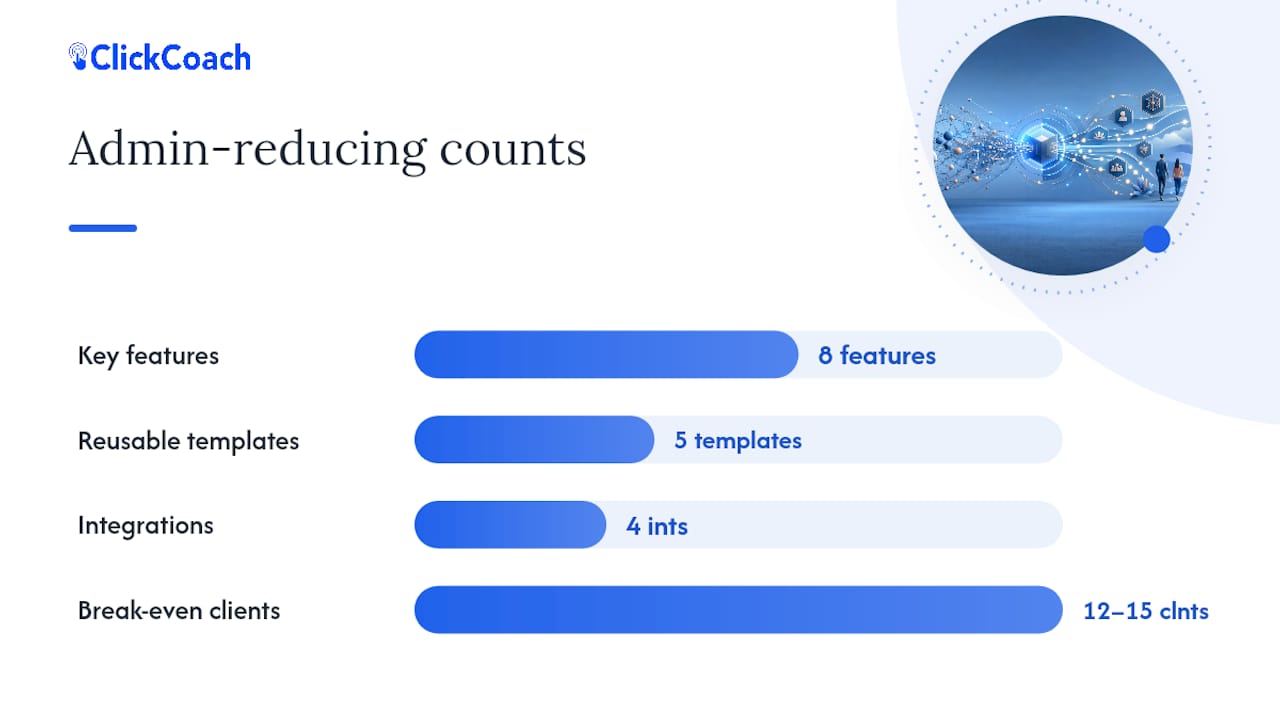
The right stack has eight features working together, not eight separate apps you’re toggling between:
- A single client record that holds history, goals, and notes in one place.
- Session notes tied directly to each client file.
- Goals and action plans visible to both coach and client.
- Homework trackers that log completion, not just assignment.
- Progress dashboards that show trend over time.
- Billing and subscription handling built into the same system.
- A branded client portal, so the experience feels like your practice, not a borrowed tool.
- Cohort support for running group programs alongside 1:1 work.
Five templates are worth building once and reusing forever: an onboarding intake form, a session-note outline structured around what the client brought, what shifted, and what’s next, a weekly check-in form limited to a handful of high-value questions, a module completion checklist, and a cohort schedule template for group programs.
On weekly check-ins specifically, keep the questions tight. Concise check-ins that capture a small set of high-value signals, like adherence, confidence, or stress level, give you something to act on. A long free-form update rarely does.
AI earns its place in drafting homework suggestions and summarizing check-in responses, cutting the review time coaches spend on repetitive admin. It should never make the call on what a client needs next. That judgment stays with you.
A workable break-even point: a dedicated coaching platform tends to pay for itself once a practice reaches around 12 to 15 clients, based on the coach hours it saves compared to spreadsheets and disconnected tools.
Before you launch, confirm four integrations work cleanly: calendar sync for scheduling, a payment processor for billing, file storage for shared documents, and secure client login for portal access. If any one of those requires a manual workaround, fix it before your first cohort starts, not after.
How Do You Launch an Online Coaching Program in 30 to 90 Days?
A phased rollout beats a big-bang launch every time. Here’s a sequence that keeps you moving without sacrificing quality.
- Days 1 to 7: Map the full client journey from inquiry to graduation. Pick one program to launch first. Build your onboarding form and session-note template.
- Days 8 to 30: Build out your first module completely. Set your billing cycle. Test scheduling and reminder automation with a small pilot cohort before opening enrollment widely.
- Days 31 to 90: Layer in automation for repetitive tasks, collect structured feedback from your pilot group, formalize how you report progress, and refine templates based on what you actually used versus what you built and ignored.
A prioritized 30-day plan followed by a 90-day iteration cycle beats trying to perfect everything before you accept a single client.
| Milestone | What to track | Why it matters |
|---|---|---|
| Day 7 | Onboarding form finalized | Confirms intake captures decision-relevant data only |
| Day 30 | Pilot cohort enrolled | Tests cadence, billing, and reminders under real conditions |
| Day 90 | Check-in completion rate, attendance, homework adherence | Flags at-risk clients before they disengage |
Two mistakes derail most launches. The first is over-automating decisions that need a coach’s judgment, like whether to adjust a client’s goal. The second is building an onboarding form so long that clients abandon it halfway through.
How Do You Maintain Quality Assurance and Compliance Over Time?
Quality assurance for an online program isn’t a one-time setup. It’s a recurring check on whether your documentation and delivery still match what you promised clients at intake.
Build a quarterly review habit: spot-check a sample of session notes for completeness, confirm goal trackers are actually being updated rather than left stale, and verify that homework logs match what clients report in check-ins. If a client’s file shows no notes for three consecutive sessions, that’s a process failure worth fixing before it becomes a pattern across your whole caseload.
Compliance monitoring also means watching for drift between your documented program structure and what’s actually happening in sessions. If your module checklist says week 4 covers goal reframing but your notes show you’re consistently running behind schedule, either the program design or your session cadence needs adjusting.
Keep a simple audit trail: who accessed a client’s file, when notes were last updated, and whether consent records are current. This matters most if you ever bring on an associate coach or expand to a multi-coach practice, where consistency across coaches becomes the real test of your quality standards. A system that logs this automatically saves you from reconstructing it by memory when a question comes up months later.
What Ongoing Training Should Coaches Build Into Their Programs?
Coaching competency doesn’t freeze the day you launch your first program. Build continuing development into your operating rhythm the same way you build client check-ins into theirs.
Schedule your own recurring practice review, separate from client work, where you listen back to a recorded session or walk through recent notes with a mentor coach or peer. Standardizing your module sequence and using breakout or hot-seat formats for personal application works just as well for your own skill practice as it does for client-facing group programs.
Keep a running log of what’s working and what isn’t across cohorts. If three separate clients stall on the same module, that’s a signal to refine the module, not just coach around it individually. Treat that log the same way you treat a client’s progress summary: reviewed regularly, not written once and forgotten.
If you run a multi-coach practice, build a shared space where associate coaches can log observations, questions, and mentor feedback. This keeps development consistent across your team instead of leaving each coach to improvise their own standards.
How Do You Protect Client Confidentiality on an Online Platform?
Online delivery adds privacy considerations a purely in-person practice doesn’t face. Client data now lives on servers, moves through video calls, and sits in portals accessible from a phone.
Start with access control. Only the coach assigned to a client, plus any mentor or supervisor explicitly involved, should see that client’s full record. If you run a multi-coach practice, confirm your platform lets you restrict visibility by coach rather than exposing every client file to every team member by default.

Confirm where client data is stored and how it’s secured, especially for sensitive intake information about goals, obstacles, or personal circumstances. A branded client portal with secure login protects that data far better than emailing notes back and forth or storing files in a shared folder with no access controls.
Put confidentiality terms in writing at intake, covering what you keep, how long you keep it, and who can see it. Clients trust programs more when the boundaries are explicit rather than assumed. This is also where your consent records earn their place. They’re not paperwork for its own sake. They’re the evidence that a client knew and agreed to how their information would be handled.
What Coaches Get Wrong About Scaling an Online Program
Most coaches try to scale by building more programs instead of building one program better. That’s backwards. Every bespoke track you add multiplies your documentation burden and gives you more surface area for something to slip through the cracks.
My advice: pick one reproducible program model and iterate it by client segment rather than inventing a new structure for every new client type you encounter. Automate the low-skill admin first, reminders, intake nudges, scheduling confirmations, and protect every decision point that actually requires your judgment as a coach. AI can draft a homework suggestion. It should never decide whether a client is ready to move to the next module.
Keep a simple progress dashboard running at all times. The coaches who catch a disengaging client in week 3 instead of week 8 are the ones checking a dashboard weekly, not the ones with the most sophisticated program design.
— Mitch Russo
How ClickCoach Supports ICF Accredited Life Coaching Programs Online
ClickCoach gives you one workspace instead of the five or six disconnected apps most coaches end up stitching together. Session notes, goals and action plans, homework tracking, progress dashboards, billing, and a branded client portal all live under a single client record, which matters most once you’re running cohorts alongside 1:1 work and need group coaching support that doesn’t require a separate tool.

The platform’s AI features draft homework suggestions and follow-up actions based on session context, but every draft stays in your queue for review before it reaches a client. That keeps the coaching judgment where it belongs, with you, while cutting the time you spend writing the same follow-up email structure from scratch each week. For the documentation and session-note structure this article covers, and for the branded client portal experience that keeps clients engaged between sessions, the ClickCoach platform maps directly to the essential feature list above.
If you’re still running your practice across spreadsheets, a scheduling app, and a separate invoicing tool, check ClickCoach pricing and start a trial to see whether consolidating into one system saves you the hours you’re currently losing to admin.
Sources
These sources go deeper into the systems, templates, and delivery tactics referenced throughout this guide:
- A Guide to Remote Coaching Systems That Scale | CoachingPortal Blog
- How To Create And Sell Online Coaching Programs Successfully | Life Shift Pro
- Coaching Client Management: The Complete 2026 Guide | GreetNow Blog
FAQ
What Makes an Online Life Coaching Program ICF Aligned?
Documented goals, structured session notes, and measurable progress tracking are the core alignment elements, not any single software feature or certificate.
How Long Does It Take to Launch an Online Coaching Program?
A focused 30-day plan can get a pilot cohort running, with a 90-day cycle to refine templates, automation, and reporting based on real client feedback.
Can AI Replace Coach Judgment in an Online Program?
No. AI can draft homework suggestions and summarize check-ins, but decisions about a client’s readiness or direction should stay with the coach.
What Records Should Coaches Keep for Every Client?
Intake forms, session notes, goal trackers, homework logs, progress summaries, and consent agreements form the core documentation set.
Does ClickCoach Replace a Certification Program?
No. ClickCoach is practice-management software for delivering and documenting coaching programs. It is not a certification provider, directory, or marketing service.