

Client intake, the formal term for how coaches gather and organize information before and during an engagement, is the single biggest factor separating a chaotic practice from a well-run one. When you collect client information professionally, you reduce friction for new clients, protect yourself legally, and build the kind of first impression that makes people trust you before the first session begins. Tools like Weavely, EZ File Drop, and ClickCoach each address different parts of this process. Getting it right means combining structured workflows, well-designed forms, and clear privacy policies into one repeatable system.
What does a professional client intake process look like?
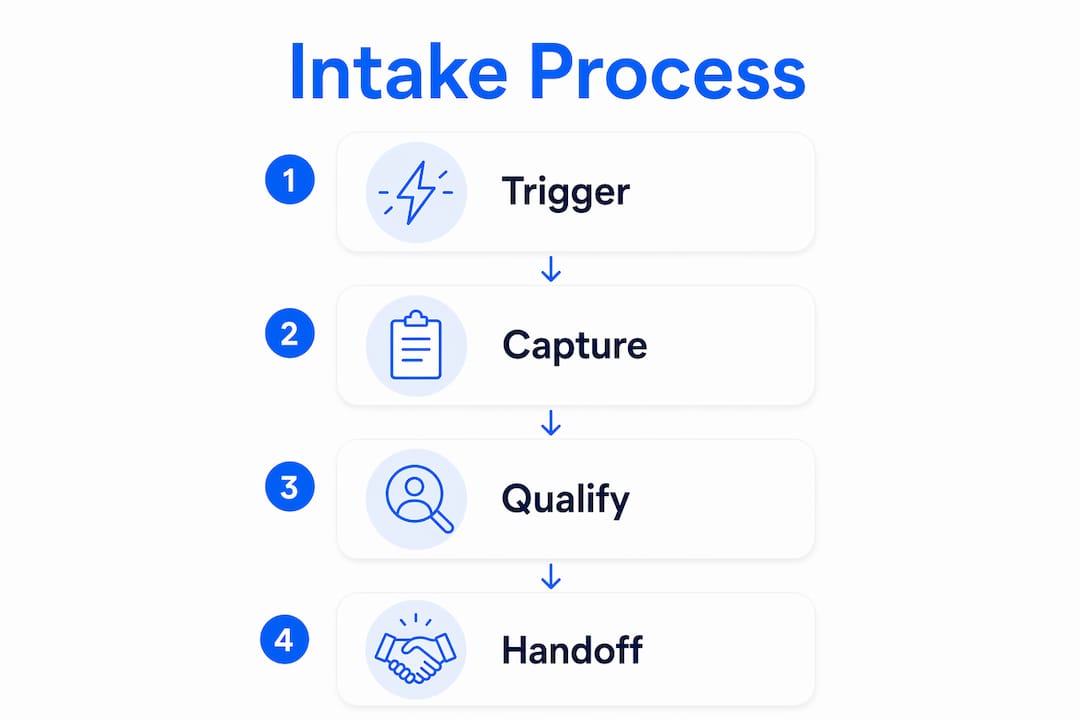
A professional intake process follows four stages: trigger, capture, qualify, and handoff. Each stage has a specific job, and mixing them up is the most common reason coaches lose clients before the work even starts.
The trigger is the moment a potential client expresses interest, whether through a booking link, a contact form, or a referral. The capture stage collects minimal identifying information at that peak moment of intent. Asking too much here kills completion rates. The qualify stage gathers deeper context, goals, and background once the client is already committed. The handoff stage moves all collected data into your working system, whether that is a CRM, a coaching platform, or a shared document.
A structured four-stage intake workflow prevents overwhelming clients and maximizes the relevance of the data you collect. That matters because a client who abandons your intake form is a client you have likely lost for good.
- Trigger. A client clicks a booking link or fills out a contact form. Collect only name and email at this point.
- Capture. Send a short intake form immediately after. Aim for 8–12 questions maximum.
- Qualify. Use a second, deeper form or a discovery call to gather goals, challenges, and logistics.
- Handoff. Transfer all data into your practice management system before the first session.
Pro Tip: Send your intake form within minutes of a client booking. Completion rates drop sharply when the form arrives hours later, because the emotional momentum of the booking decision has faded.
Progressive, conversational intake methods reduce client drop-off and uncover deeper insights than static, single-page forms. The staged approach is not just about completion rates. It signals to clients that you are organized, thoughtful, and worth their time.
How do you design effective and compliant client intake forms?
Form design is where most coaches make their biggest mistakes. The goal is to collect exactly what you need, nothing more, and to make the experience feel easy rather than bureaucratic.

Multi-step forms convert 86% higher than single long forms. That gap exists because progress indicators and grouped questions reduce the perceived effort of completion. A client who sees “Step 1 of 3” feels less intimidated than one staring at a wall of 20 questions.
The recommended structure for a coaching intake form looks like this:
- Step 1 (Contact and basics): Full name, email, phone, time zone, preferred contact method
- Step 2 (Background and goals): Current situation, what they want to achieve, previous coaching experience
- Step 3 (Logistics and scope): Availability, session frequency preference, budget range, referral source
Mark required fields clearly. Validate email and phone formats automatically so you do not receive unusable data. Keep optional fields genuinely optional, and explain briefly why you are asking for anything that might feel personal.
Privacy compliance is not optional. GDPR’s data minimization principle requires collecting only data necessary for the stated purpose and limiting how long you retain it. Even if you are based in the United States and work with domestic clients only, GDPR applies the moment a client in the European Union books with you. Violation risks increase when coaches keep excessive data or retain it longer than the engagement requires.
Intake form data must be stored securely and used solely for the coaching engagement. Your privacy policy should state this explicitly. A one-sentence confidentiality statement at the bottom of your form is not enough. Clients need a link to a full policy that covers access restrictions, data use, and how they can request deletion.
Pro Tip: Link every data field you collect to a specific decision you will make with it. If you cannot name the decision, remove the field. This practice, sometimes called data mapping, keeps your forms lean and your compliance posture clean.
| Form element | Best practice |
|---|---|
| Number of questions | 8–12 total, grouped into 3 steps |
| Required vs. optional fields | Mark clearly; keep optional fields minimal |
| Privacy policy | Full policy linked, not just a checkbox |
| Sensitive data | Never collect passwords or credentials via forms |
| Retention statement | State how long data is kept and how it is deleted |
What digital tools help coaches gather client data efficiently?
The right tools remove manual work from the intake process and keep client data organized from day one. Three categories matter most: form builders, secure file transfer tools, and practice management platforms.
Weavely is an AI-powered form builder designed specifically for professional intake workflows. It supports multi-step forms, conditional logic, and progress indicators out of the box. EZ File Drop handles secure document uploads, which matters when clients need to share contracts, health disclosures, or prior assessments. Separating identification from authentication enhances security and professionalism. Never collect passwords or API keys through an intake form. Use a tool like EZ File Drop for anything sensitive.
Contextual links in booking confirmations and QR codes for in-person appointments speed up information capture and improve the professional impression you make. A client who receives a booking confirmation with a clearly labeled intake form link is far more likely to complete it than one who receives a follow-up email days later.
ClickCoach sits in the practice management category. It unites session management, billing, client progress tracking, and homework assignments under one login. Coaches who use ClickCoach report saving up to 20 minutes per session by eliminating the need to switch between multiple apps. The platform’s AI assists with drafting homework and tracking client progress, which means your intake data feeds directly into the work you do in sessions rather than sitting in a separate spreadsheet.
For AI-assisted documentation, coaches must disclose what data is recorded, who processes it, where it is stored, how long it is retained, and how clients can request deletion. This disclosure belongs in two places: your written coaching agreement and a live verbal or written notice at the start of each session. A two-layer AI disclosure, written in agreements and live at intake, is the standard for ethical coaching practice in 2026.
What mistakes do coaches make when collecting client information?
The most damaging mistake is front-loading your intake form with sensitive or effortful questions. A client who hits a question about finances or mental health history on the first screen of a form they just opened will often close the tab and not return.
Delaying effortful or sensitive questions until clients are already invested, and using explicit progress indicators, are the two most effective ways to reduce abandonment. These methods work because they manage client effort and set clear expectations about how much time the form will take.
Four mistakes coaches make repeatedly:
- Collecting credentials via intake forms. Passwords and API keys should never appear in a form response. Use a secure credential exchange tool instead.
- Ignoring abandonment rates. If clients are not completing your forms, the form is the problem. Review where they drop off and simplify that section.
- Skipping AI disclosure. If you use an AI note-taker or documentation tool, clients must know before the session starts, not after.
- No deletion policy. Linking each data field to a decision supports ongoing data minimization and helps you know when to delete records you no longer need.
“The intake form is the first real experience a client has of working with you. If it feels disorganized, invasive, or confusing, that impression sticks.”
A strong intake process simultaneously demonstrates professionalism to clients and improves your internal workflow. Those two outcomes are not separate. They reinforce each other every time a new client moves through your system without friction.
Key takeaways
Coaches who collect client information professionally use a structured four-stage intake process, well-designed multi-step forms, and clear privacy policies to reduce drop-off and protect client data.
| Point | Details |
|---|---|
| Use a four-stage intake workflow | Trigger, capture, qualify, and handoff each have a specific role in reducing friction. |
| Keep forms to 8–12 questions | Group questions into 3 steps with progress indicators to improve completion rates. |
| Apply GDPR data minimization | Collect only what you need, link each field to a decision, and set a deletion timeline. |
| Disclose AI use in two layers | Include AI disclosure in written agreements and again live at the start of each session. |
| Never collect credentials in forms | Use secure tools like EZ File Drop for sensitive documents and credential exchange. |
What I have learned from watching coaches get intake wrong
Most coaches I have worked with treat intake as an afterthought. They build a quick Google Form, ask every question they can think of, and then wonder why half their new clients ghost them before the first session.
The counterintuitive truth is that asking less, earlier, actually gets you more. When you ask for only a name and email at the booking stage, you remove the friction that kills momentum. You get the client committed first. Then you collect the deeper information once they are already in your world and trust you enough to share it.
The privacy piece is where I see the most avoidance. Coaches know they should have a proper policy, but writing one feels like a legal project. The reality is that a clear, plain-language privacy statement takes about 30 minutes to draft and protects you from the kind of client complaint that can damage your reputation. Templates from resources like WildandFree Tools exist for exactly this reason.
The AI disclosure issue is newer, but it is already creating problems. Coaches who use AI note-takers without telling clients are not just violating ethics guidelines. They are eroding the trust that makes coaching work. Clients who find out after the fact feel surveilled, not supported. Disclose early, disclose clearly, and make opting out easy.
The coaches who get intake right treat it as a client experience, not a data collection task. That shift in framing changes every decision, from how many questions you ask to how you word your privacy policy.
— Mitch
How ClickCoach handles client intake for your practice
Managing intake forms, session notes, billing, and client progress across three or four separate apps is a real cost. Every switch between tools adds time and creates gaps where client data gets lost or duplicated.
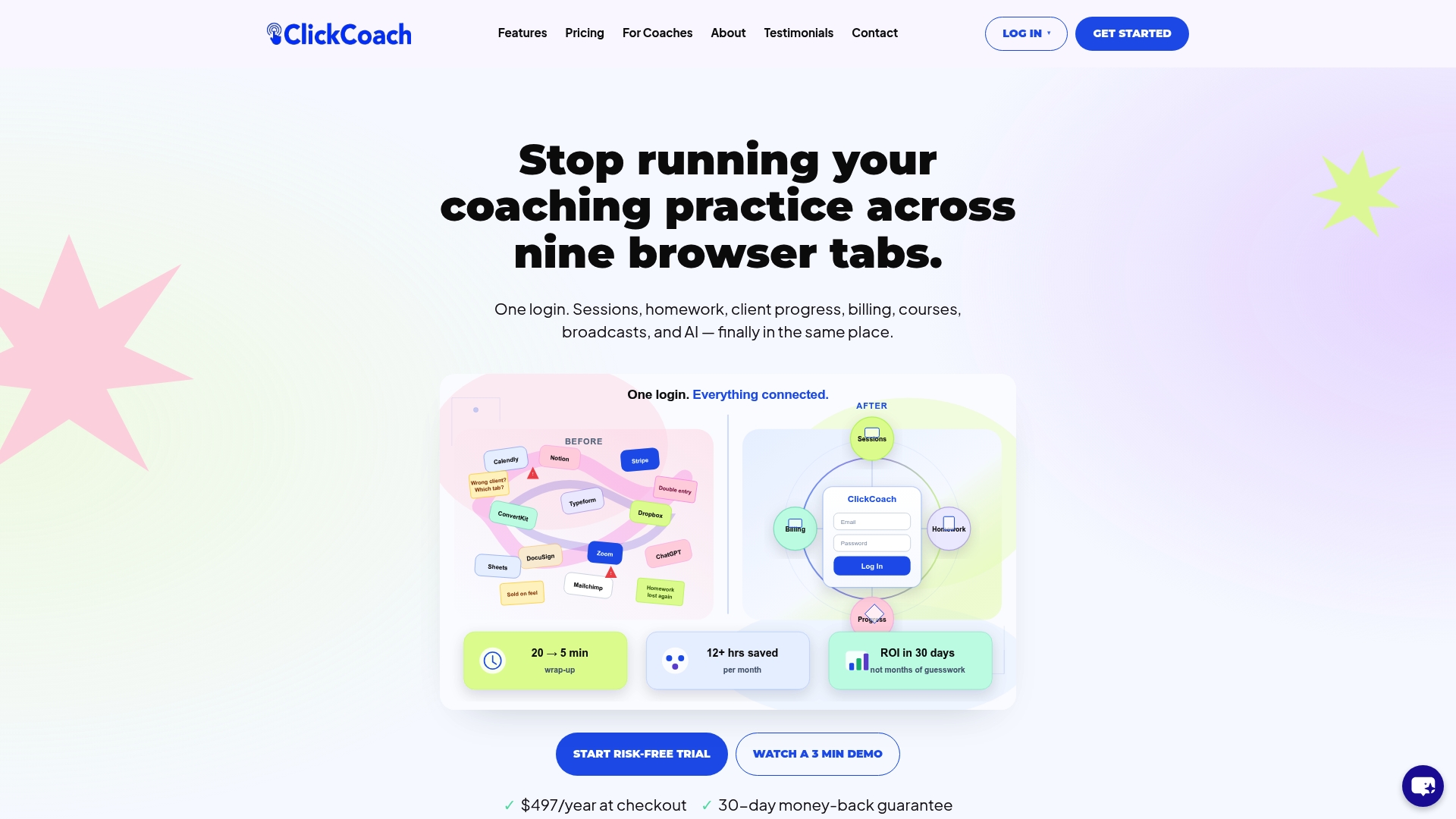
ClickCoach brings your entire coaching practice under one login, including client intake, session management, billing, and progress tracking. The platform’s AI assists with homework drafts and client progress notes, so the information you collect at intake feeds directly into your ongoing work. Coaches using ClickCoach save up to 20 minutes per session by cutting out the app-switching that fragments their workflow. If you want to present a professional, organized experience to every new client from the first form they fill out, ClickCoach is built for that.
FAQ
What is a client intake process for coaches?
A client intake process is the structured system coaches use to collect, organize, and store client information before and during an engagement. It typically includes a multi-stage workflow covering contact details, background, goals, and logistics.
How many questions should a coaching intake form have?
Coaching intake forms work best with 8–12 questions grouped into three steps. Multi-step forms with progress indicators convert significantly higher than single long forms.
What privacy laws apply to coaching client data?
GDPR applies to any coach who works with clients in the European Union, regardless of where the coach is based. GDPR requires collecting only necessary data, limiting retention time, and providing clients with a clear privacy policy.
Should coaches disclose AI use during sessions?
Yes. Coaches who use AI note-taking or documentation tools must disclose this in their written coaching agreement and again at the start of each session. Clients must know what data is recorded, how long it is kept, and how to request deletion.
What is the biggest mistake coaches make on intake forms?
Front-loading sensitive or effortful questions too early in the form is the most common cause of abandonment. Place harder questions later, after the client has already invested time and built some trust in the process.