

For most professional coaches running a solo or multi-coach practice, an all-in-one coaching management platform like ClickCoach is the strongest choice for 2026. It combines a branded client portal, progress tracking, billing, and AI-assisted homework in one workspace, so you stop patching together a scheduler, a payment processor, and a course platform that don’t talk to each other.
That said, the right pick depends on how your practice actually runs. Here’s the shortlist by category:
- All-in-one coaching practice platforms (ClickCoach and similar): best if you run recurring 1:1 or group sessions and need session notes, goals, and billing under one login.
- Deep program-delivery tools: best if your coaching leans heavily on structured, automated content between sessions rather than live calls.
- Admin-first booking and payments apps: best if your main pain point is scheduling and checkout, not client progress data.
- Enterprise mentoring and coaching systems: best if you’re running a coaching function inside a larger organization with dozens of coaches and HR reporting needs.
- LMS-first course platforms: best if coaching is secondary to a paid course or cohort program you sell at scale.
If you’re deciding right now, the fastest next step is to run a 30-day trial that follows one real client from intake through their first piece of homework. That single test will expose more about a platform’s fit than any feature checklist.
Key Takeaways
An all-in-one coaching management platform reduces client friction and admin time more reliably than stitching together separate scheduling, billing, and course tools.
| Point | Details |
|---|---|
| Match tool to revenue model | Choose an all-in-one platform for recurring 1:1 work, not a course-first LMS built for content sales. |
| Weight progress tracking and payments highest | These two features drive retention and cash flow more than any other feature on a pricing page. |
| Run a 30-day, full-lifecycle pilot | Test lead to renewal with one real client before signing an annual contract. |
| Watch for the four red flags | No branded portal, two-step payments, weak progress tracking, and no data export all signal future friction. |
| ClickCoach fits solo and multi-coach practices | It centralizes session notes, billing, client portals, and AI-assisted homework in one workspace for coaches running recurring sessions. |
Table of Contents
- Which Coaching Management Software Fits Your Practice?
- What Each Platform Category Actually Delivers
- How Do You Choose the Right Coaching Software?
- How These Picks and Comparisons Were Chosen
- Why a Unified Coaching Platform Improves Client Outcomes
- What I’ve Learned Evaluating These Platforms
- How ClickCoach Solves the Gaps Most Coaches Hit
- Sources
- FAQ
Which Coaching Management Software Fits Your Practice?
The table below compares ClickCoach against the main platform categories coaches consider, rather than listing every brand name twice. Category rows reflect typical vendor behavior in that segment, not a specific product’s exact feature set.
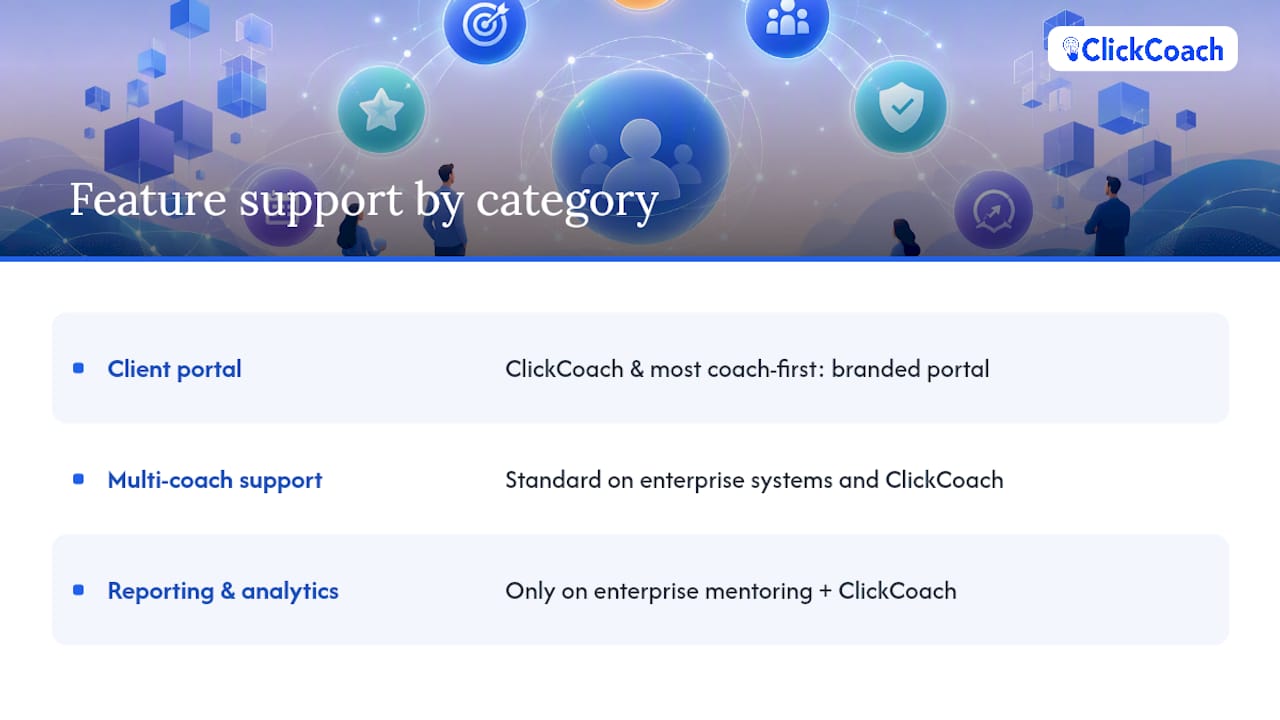
A few flags matter more than the rest of the row. ClickCoach and most coach-first platforms ship a branded client portal by default. Multi-coach team support is standard on enterprise systems and on ClickCoach, but often absent or bolted on in admin-first and LMS tools. Enterprise-grade reporting and analytics show up reliably only on enterprise mentoring systems and on platforms, like ClickCoach, built specifically around progress tracking rather than course completion.
What Each Platform Category Actually Delivers
ClickCoach brings session management, a branded client portal, progress tracking, billing, and AI-assisted homework creation into one system. The AI drafts homework and follow-up actions, but you review and approve everything before it reaches a client, so the coaching voice stays yours. The trade-off is straightforward: ClickCoach is built for coaches, not for selling standalone courses or running a certification program, so if your business model is content sales at scale, it isn’t the right tool for that job.
- Strengths: unified client records, session notes tied directly to goals and homework, billing and subscription management, multi-coach team administration.
- Trade-offs: not a marketing platform, not a course marketplace, not a coaching directory.
- Where to start: run a trial through the coaching business management software page and test one full client cycle before committing.
Coach-first practice platforms in the CoachAccountable and Quenza mold prioritize program delivery depth. One July 2026 editorial roundup named Quenza the top overall pick for pairing an Activity Builder and automated Pathways with a client mobile app, at pricing that reportedly starts around $25 a month. The same roundup flagged CoachAccountable as a strong choice for coaches who want dense metrics tracking and automation, with a steeper learning curve as the trade-off. These platforms generally shine on measurable client engagement but ask more setup time upfront.
Admin-first booking and payments apps, including Paperbell, Calendly, and Acuity Scheduling, solve a narrower problem well: getting a client from “interested” to “on the calendar and paid” with minimal friction. Paperbell in particular centralizes contracts, checkout, and scheduling into a single flow, which makes it a fit for coaches whose biggest complaint is chasing invoices, not tracking client goals. The trade-off is that these tools rarely offer session notes or progress reporting worth the name.
LMS-first course platforms like Thinkific, Teachable, Kajabi, and LearnWorlds are built to sell and deliver structured content, not to manage 1:1 coaching relationships. Coaches who lean on cohort-based programs sometimes love the community and content tools, but coaches whose revenue is recurring 1:1 sessions often end up tracking client progress in a separate spreadsheet because the platform wasn’t built for that job. Match the tool to your actual revenue model, not the one you might grow into someday.
Enterprise mentoring and coaching systems, including MentorcliQ, CoachHub, BetterUp, Torch, Ezra, Sounding Board, Bravely, Chronus, AceUp, and LEADx, exist to run coaching or mentoring programs across an entire organization. They come with HR reporting, matching algorithms, and dedicated implementation teams. That scale is the point, and it’s also the trade-off: onboarding usually runs through a vendor-led process with a dedicated customer success manager, not a self-serve signup.
Health and fitness practice tools such as PT Distinction, My PT Hub, Everfit, WeStrive, RYPT, NutriAdmin, and WellMate PRO adapt the same core ideas (scheduling, progress tracking, client communication) to a clinical or fitness context. Buzops, EasyWeek, Ubindi, and DoTimely lean further toward studio and class-based scheduling. If your coaching practice sits closer to fitness or nutrition delivery, these tools carry industry-specific templates you won’t find in a general coaching platform.
Point tools worth knowing round out most stacks even when a coach uses a dedicated practice platform: Zoom and Vectera for video sessions, Loom and Clarityflow (ZipMessage) for async video updates, Voxer for voice messaging between sessions, HoneyBook and Bonsai for freelance-style invoicing, and Cloverleaf for team and personality-based coaching insights. Book Like A Boss, Fons, Introwise, Satori, Planubo, Coaching.com, Profi.io, Wise: Tutor Management Software, Uteach, AspireVue, Flowlance, TestMent, CrewLAB, and Nas.io each serve a piece of the booking, teaching, or community puzzle, typically without the full session-to-billing loop a dedicated practice platform provides.
Pro Tip: Before you commit to any platform, list the five things you personally do most often in a coaching week. Then check whether the platform reduces clicks for those five tasks specifically, not just its full feature list.
How Do You Choose the Right Coaching Software?
Start with what actually drives retention and revenue in your practice, not the longest feature list on a pricing page. A 2026 audit framework identifies five features that tend to grow a coaching business rather than just organize it: integrated scheduling plus a client portal, AI-powered progress tracking, automated payments, AI-augmented session tools, and branded mobile access. Weight your evaluation toward progress tracking and payment automation first. Those two features touch retention and cash flow directly.
- Does it centralize the client record? One client profile should hold session notes, goals, homework, and payment history, not four separate logs.
- How does data flow from intake to renewal? Ask the vendor to walk you through a lead becoming a signed, paying, onboarded client, step by step.
- What happens between sessions? Confirm whether homework, check-ins, and reminders are automated or manual.
- Can you export your data? Get a clear answer on whether client records and history are portable if you switch platforms later.
- Is pricing transaction-based or flat? Some platforms take a cut of every payment processed; that adds up fast at scale.
- Is there a branded, mobile-friendly client portal? With cloud software adoption now the global default for business software, a clunky or unbranded portal is a real liability with clients.
- What does multi-coach or team support look like? If you plan to hire coaches, ask specifically how permissions and reporting work across a team.
Watch for a few recurring red flags during demos. A missing branded client portal usually means clients will log in somewhere that looks nothing like your business. A two-step payment flow (pay here, then book there) creates drop-off you’ll never fully see in your numbers. Weak or absent progress tracking makes it hard to prove your coaching works, which matters when clients ask why they should renew. And no data export option means you’re locked in if the platform stops serving you.
How These Picks and Comparisons Were Chosen
“Comparisons highlight tradeoffs between note-driven platforms and admin-first platforms, and mismatch between tool and business model causes scaling friction.” This framing, drawn from a 2026 comparison of business coaching software, guided how each category above was evaluated: not by feature count, but by fit to a coach’s actual revenue model.
The vetting process behind this roundup combined a few checks: confirming feature claims against vendor product pages, cross-referencing pricing and trial terms where publicly listed, and weighing editorial roundups against practitioner-focused audit frameworks rather than a single source. Review aggregators like GetApp’s coaching software directory were used to confirm which platforms currently offer free tiers or trials, since that detail changes often.
- Feature claims were checked against each vendor’s own product or pricing page where available.
- Category placement (coach-first, admin-first, LMS-first, enterprise) followed the operational focus described in vendor materials, not marketing copy alone.
- Pricing model descriptions (subscription, per-coach, transaction fee) reflect publicly listed structures at the time of research.
- Trial and demo behavior notes come from vendor-published trial terms, not first-hand testing of every platform.
If you want to re-run this kind of audit for your own practice, start by listing your top five weekly tasks, then score each platform candidate on how many clicks or logins each task requires. That’s a faster, more honest test than reading a features page top to bottom.
Why a Unified Coaching Platform Improves Client Outcomes
Disjointed tools carry a real cost. One 2026 coaching software analysis found that every additional login a client needs, separate apps for billing, scheduling, and coursework, correlates with lower completion rates. A branded client portal that holds everything in one place reduces that friction directly.
The core insight: platform consolidation is now a business decision, not a convenience. The same 2026 feature framework argues coaches should evaluate software as a business operating system, not a scheduling tool. That reframing matters because it shifts the evaluation question from “does it have a calendar” to “does it move a client from intake to renewal without friction.”
Why does an integrated data flow matter so much? When intake, session notes, goals, and follow-up automation live in one system, a coach can see a client’s full arc without switching tabs. That visibility is what lets you spot a disengaged client early, before they quietly stop renewing. Fragmented tools hide that signal across four different dashboards.

Pro Tip: During any 30-day pilot, track two numbers: minutes of admin time saved per week and the percentage of assigned homework a client actually completes. Both are visible within the first two weeks and predict whether the platform earns its price.
For a practical pilot, run one real client through the full loop: lead capture, contract signature, payment, onboarding, first session, homework assignment, and renewal conversation. A private AI memory layer built for coaches is one example of how AI tooling is starting to support that kind of continuous, between-session insight without replacing the coach’s judgment.
What I’ve Learned Evaluating These Platforms
The biggest mistake I see coaches make is choosing software based on the demo instead of the data flow. A polished sales demo can make almost any tool look capable. What matters is whether a client’s information moves cleanly from a signed contract to a paid invoice to an assigned goal, without you manually copying anything between screens. Ask to see that specific handoff, not the feature tour.
A close second mistake is picking a platform sized for the practice you hope to have in three years instead of the one you’re running today. Enterprise mentoring systems built for HR departments are wrong for a solo coach with twelve clients, and a course-first LMS is wrong for a coach whose income comes from recurring 1:1 work. Buy for your current revenue model and switch later if you genuinely scale into a different one.
Here’s a rough matrix for matching business model to category:
- Solo coach, 1:1 recurring sessions: an all-in-one coach-first platform (ClickCoach or similar), where session notes and progress tracking live next to billing.
- Group programs or cohorts: a platform with strong group-scheduling and community tools, layered with a payment system that handles per-member billing cleanly.
- Enterprise coaching or mentoring function: an enterprise mentoring system with HR reporting and dedicated onboarding support, since that scale genuinely needs vendor-led implementation.
If you take one thing from this checklist, run a 30-day trial through a real client’s full lifecycle before you sign an annual contract. A two-week trial rarely surfaces the friction that actually costs you clients later.
How ClickCoach Solves the Gaps Most Coaches Hit
Every gap raised above maps to something concrete you can check in a trial. Missing branded portal? ClickCoach’s client portal puts session notes, goals, and homework behind your own branding, not a generic vendor login. Weak between-session delivery? AI drafts homework and follow-up actions inside ClickCoach, and you approve every word before a client sees it. Manual billing chased through email? Billing and subscription management run inside the same workspace as your client records. No way to prove client progress? The platform’s progress tracking tools, including features like SlipMeter, turn coaching outcomes into something you can show a client at renewal time, not just something you feel is true.

Run your own 30-day pilot the way this article recommends: pick one real client, and take them from intake through their first completed homework assignment inside ClickCoach. Watch two things closely, admin minutes saved per week and how much of the assigned homework actually gets done. Multi-coach practices can test the same pilot across two coaches to see how team administration holds up under real client load. When you’re ready to see the full system, start at the coaching business management software page and walk through a real client cycle before you decide.
Sources
- Psychology
- 5 Coaching Platform Features You Can’t Ignore in 2026 | Keedia
- Technology checklists for coaches: How to assess software before scaling your practice | Swipnews
- Top Rated Coaching Software with Free 2026 - GetApp
- Top 10 Best Business Coaching Software: 2026 Comparison | WorldMetrics
Review sites and editorial roundups are a good starting filter, but they can’t tell you how a platform feels with your actual clients in it. Use them to build your shortlist of three or four candidates, then rely on a hands-on trial to make the final call.
FAQ
What Is the Best Coaching Software?
For most professional coaches running recurring sessions, an all-in-one platform like ClickCoach is the strongest fit because it unifies client records, session notes, billing, and progress tracking. One 2026 editorial roundup named Quenza its top overall pick for its program-delivery depth, which shows the right answer depends on whether you prioritize delivery automation or full practice management.
What Is the 70/30 Rule in Coaching?
Definitions of this rule vary across coaching methodologies, and the article’s research doesn’t confirm one authoritative version, so it’s worth asking your certifying body or mentor coach for their specific framing rather than relying on a general definition.
What Is the Best CRM for Coaches?
The best CRM for coaches is a platform that keeps client intake, session history, and payment records in one place rather than a generic sales CRM, since coaching relationships depend on progress data a standard CRM doesn’t track. All-in-one practice platforms like ClickCoach fold this CRM function into the same system as session notes and billing.
What Is the 80/20 Rule in Coaching?
Specific coaching frameworks use different versions of efficiency principles, and no single definition is confirmed across sources here, so check with your coaching methodology or certifying organization for the exact application they teach.
How Long Should a Coaching Software Trial Last?
A 30-day trial that runs a real client through the full lifecycle, from lead to signed contract to first completed homework assignment, reveals far more than a standard two-week trial, since free trials are common but short pilots miss hidden friction.