

Some coaching platforms combine billing with client records, session tracking, and branded portals in one system. If your practice only needs simple invoices and card payments, a lightweight tool like Zoho Invoice or Wave will cover you. If you run a larger firm with sponsor billing across multiple coaches, look at full practice-management platforms built for that complexity.
TL;DR:
- Coaches with complex billing needs, such as sponsor payments and multi-session packages, should prioritize platforms like ClickCoach that integrate billing, client records, and progress tracking.
- Lightweight invoicing tools like Zoho Invoice or Invoice Ninja are ideal for solo coaches who mainly need simple recurring invoices without session or portal features.
- Practice management platforms like Simply.Coach and CoachVantage combine coaching workflows with billing but require longer setup times, especially for existing client data.
- When evaluating systems, test scenarios involving package sales, separate sponsor invoicing, and failed payments to ensure the platform handles real coaching engagement complexities.
- Billing tools built around coaching practices should support payer/payee separation, pooled balances, and easy export of client and payment data to avoid manual reconciliation and administrative overhead.
Table of Contents
- Best Coaching Billing Software: Top Picks at a Glance
- Comparing Billing Features Coaches Actually Need
- What to Expect During Setup and Migration
- How to Choose the Right Billing Software for Your Practice
- Why ClickCoach Is Worth a Serious Look for Coaching Billing
- What Coaches Consistently Get Wrong About Billing Software
- Ready to Simplify Your Coaching Billing?
- Sources
- FAQ
Best Coaching Billing Software: Top Picks at a Glance
Choosing billing software for coaches is not the same as choosing billing software for a general small business. Coaching engagements run in packages, retainers, and multi-month arcs, often paid by someone other than the person sitting in the session. A corporate sponsor might fund six months of executive coaching for three different leaders, and your invoicing needs to track that relationship without losing your mind in spreadsheets.
Here is a shortlist of six options worth trialing, organized by what they actually do well rather than by how loudly they market themselves.
- ClickCoach — best for owner_instruction_0 billing tied directly to client records, session notes, and progress tracking in one workspace. The billing standout is that invoices and subscriptions live next to the same client profile where you log sessions and homework, so nothing has to be reconciled across two systems.
- Simply.Coach and CoachVantage (full coaching platforms) — best for practices that want coaching workflows and billing bundled together, similar in spirit to ClickCoach but with different feature emphasis. These platforms build billing around session scheduling and package delivery rather than treating it as a bolted-on accounting module.
- Zoho Invoice and Invoice Ninja (lightweight invoicing tools) — best for solo coaches who mainly need clean, recurring invoices and don’t need a client portal or session tracker. Zoho Invoice offers templates invoicing with payment integrations built in, and Invoice Ninja can convert tracked billable time directly into an invoice.
- Stripe or PayPal (payment processors with invoicing) — best for coaches who already have a system for tracking clients and just need a reliable way to collect card or ACH payments. Stripe in particular is the back-end rail that many of the platforms on this list run their own payments through.
- FreshBooks, QuickBooks, Xero, Wave, Sage (accounting-first platforms) — best for coaches who also want bookkeeping, tax categorization, and expense tracking alongside invoicing. FreshBooks is a common recommendation here because it bundles invoicing, time tracking, and payment collection for freelancers and small practices.
Availability across the United States is not a real concern with any of these. They are cloud-based SaaS products you can sign up for directly, though pricing shapes vary quite a bit. Some charge a flat monthly or annual subscription regardless of client volume; others layer a per-transaction processing fee (typically in the 2 to 3 percent range for card payments) on top of a base plan. That distinction matters more than it sounds. A coach billing $8,000 a month in packages will pay meaningfully more in transaction fees on a processor-only setup than on a flat-rate subscription platform, so run the math on your actual monthly billing volume before you commit to a pricing model.
Comparing Billing Features Coaches Actually Need
The dimensions that matter for coaching billing rarely show up on a generic small-business comparison chart. Sponsor-paid engagements, package-based pricing, and multi-session retainers all put pressure on features that invoicing tools built for freelancers never had to solve. In the table below, “Yes” means the feature is natively supported, “Add-on” means it requires a third-party integration or paid extension, and “No” means it is not currently offered.
None of the pure accounting or payment tools offer native sponsor/payer reporting, which is the single biggest gap coaches with corporate clients run into. If a company is paying for three executives’ coaching out of one budget, you need a system that separates the payer from the coachee and can report spend against that pooled arrangement without manual spreadsheet work.
What to Expect During Setup and Migration
Each platform has its own rhythm once you actually start using it day to day. Here is what onboarding and billing workflows look like in practice for the six shortlisted approaches.
ClickCoach typically takes a coach a single sitting to get a basic billing setup running, since packages and retainers map directly onto the same client profile used for session notes and progress tracking. Recurring billing and branded invoices may be accessible in client portals, so clients who book packages can see scheduling, homework, and payment history in one place. Some platforms support sponsor billing by attaching payer details to the engagement record rather than individual sessions.
Pro Tip: During a ClickCoach trial, create one test client, sell them a three-session package, and confirm the invoice, the session count, and the client portal all update automatically without you touching three separate tools.
Simply.Coach and CoachVantage both take longer to configure fully, often a few days if you are migrating existing client packages and contracts, because their scheduling and billing modules need to be wired together explicitly. Automation around dunning (the process of automatically retrying and reminding for failed payments) exists but varies in depth. Pro Tip: Sell a test package with a deliberately invalid card and time how many reminder emails go out before the platform flags it as failed. That tells you how much manual chasing you will still be doing.
Zoho Invoice and Invoice Ninja are fast to set up, often under an hour, because they are invoice generators first. Recurring billing is straightforward for retainers, but there is no client portal for session notes or progress. Pro Tip: Build one recurring invoice template for your standard monthly retainer and confirm the autopay and reminder cadence match your actual payment terms before you migrate real clients.
FreshBooks, QuickBooks, and Xero (the accounting-first group) usually take a coach a few hours to a full day, largely because you are also setting up a chart of accounts and tax categories, not just invoices. These tools integrate well with a bookkeeper or accountant but require you to manage client and session data somewhere else entirely.
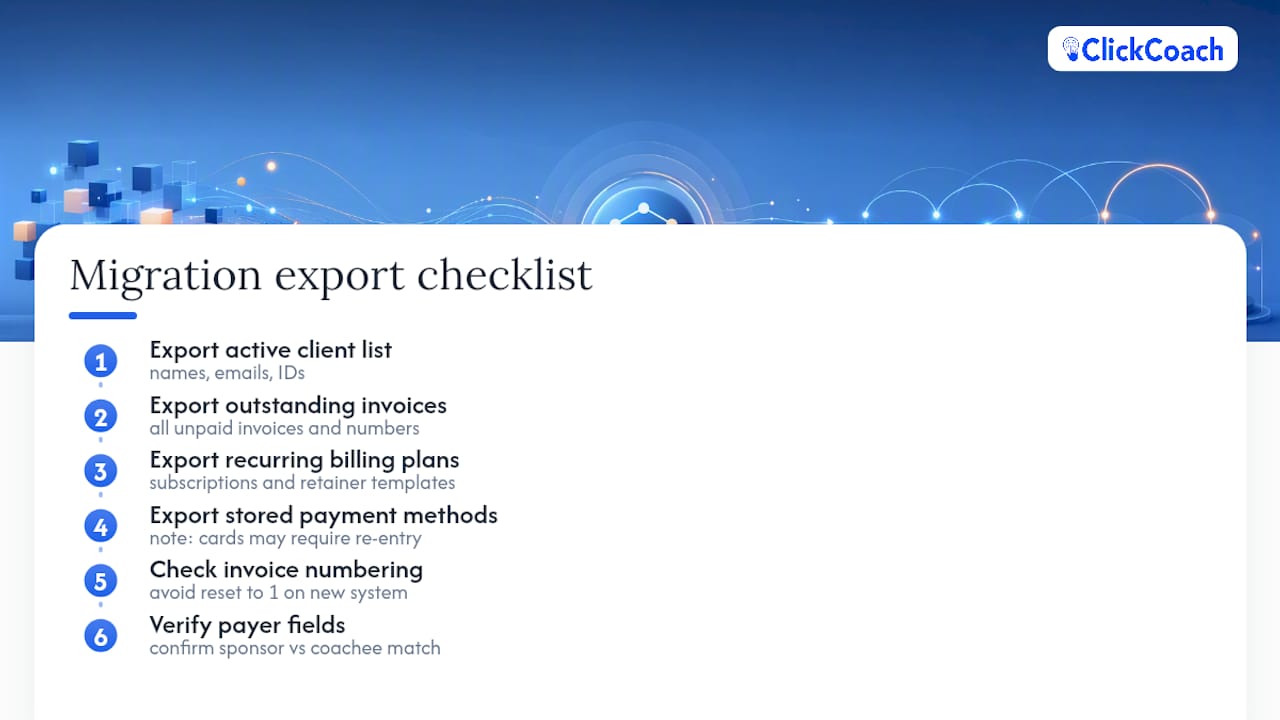
Migration checklist: before switching any billing system, export your active client list, all outstanding invoices, any recurring billing plans, and stored payment methods (most processors won’t let you export raw card numbers, so clients may need to re-enter cards). Common pitfalls include invoice numbering resetting to 1 on the new system, which confuses bookkeeping continuity, and payer fields getting mismatched when a sponsor’s billing address doesn’t match the coachee’s client record.
How to Choose the Right Billing Software for Your Practice
Start by matching the tool to how your practice is actually structured, not to how many features a vendor lists on its homepage.
- Solo coach, mostly one-off or retainer clients: a lightweight invoicing tool like Zoho Invoice, Invoice Ninja, or Wave probably covers everything you need without the overhead of a full platform.
- Solo or small multi-coach practice selling packages and running progress tracking: this is where an integrated platform like ClickCoach earns its subscription, because billing, session notes, and client portals sit in one place instead of three.
- Multi-coach firm with corporate sponsors funding engagements: prioritize payer/payee separation, pooled balance reporting, and the ability to export session-level data for payroll runs across contracted coaches.
Once you have narrowed the field, run three trial scenarios before you commit to any platform:
- Sell a package and deliver it. Create a client, sell a three or six-session package, and confirm the invoice, the payment schedule, and the session count all stay in sync.
- Bill a sponsor separately from the coachee. If you work with corporate clients, test whether the platform can invoice the company while tracking sessions against the individual leader being coached.
- Simulate a failed payment. Use a test card that declines and time how the platform handles dunning: does it retry automatically, notify you, and notify the client, or does it silently fail?
Ask every vendor these questions directly: Can payer and coachee be different records? Does the platform support pooled balances for multi-session packages bought upfront? What’s the ACH fee versus the card fee, and does that change at volume? How are contracts and retainers renewed, automatically or manually? What happens on a chargeback, and who absorbs the fee? Can you export all client, billing, and payment history if you switch tools later? A vendor who can’t answer the export question clearly is telling you something about how locked in you’ll be.
Why ClickCoach Is Worth a Serious Look for Coaching Billing
Some platforms are built around the operating workflow of a coaching practice rather than being adapted from general invoicing tools. That shows up in a handful of concrete ways relevant to billing:
- Billing and subscription management live inside the same platform as client records, so a package sale, a session log, and an invoice are all connected to one profile instead of synced across separate apps.
- Branded client portals give clients one place to see their invoices, upcoming sessions, and progress, which reduces the “where do I pay you” emails that eat into a coach’s week.
- Progress tracking tied to billing milestones means you can show a sponsor or client tangible movement against goals alongside the payment history for that engagement.
- AI-assisted drafting helps generate homework and follow-up actions after a session, with the coach reviewing and approving before anything goes to the client.
- Session notes and accountability tools connect follow-up and homework tracking to the same record where billing lives, cutting down on reconciliation between systems.
This setup benefits professional and executive coaches running multi-session packages the most, especially those juggling sponsor-paid engagements where a company funds coaching for one or more leaders. Run the same three trial scenarios from the buying guide above, package sale, sponsor invoicing, and a simulated failed payment, and judge ClickCoach against whatever lightweight or accounting-first tool you’re currently using.
What Coaches Consistently Get Wrong About Billing Software
Most coaches shop for billing software the way they’d shop for personal accounting software: lowest fee, cleanest invoice template, fastest setup. That instinct misses the actual cost of the wrong choice, which shows up months later in reconciliation work, not on day one.
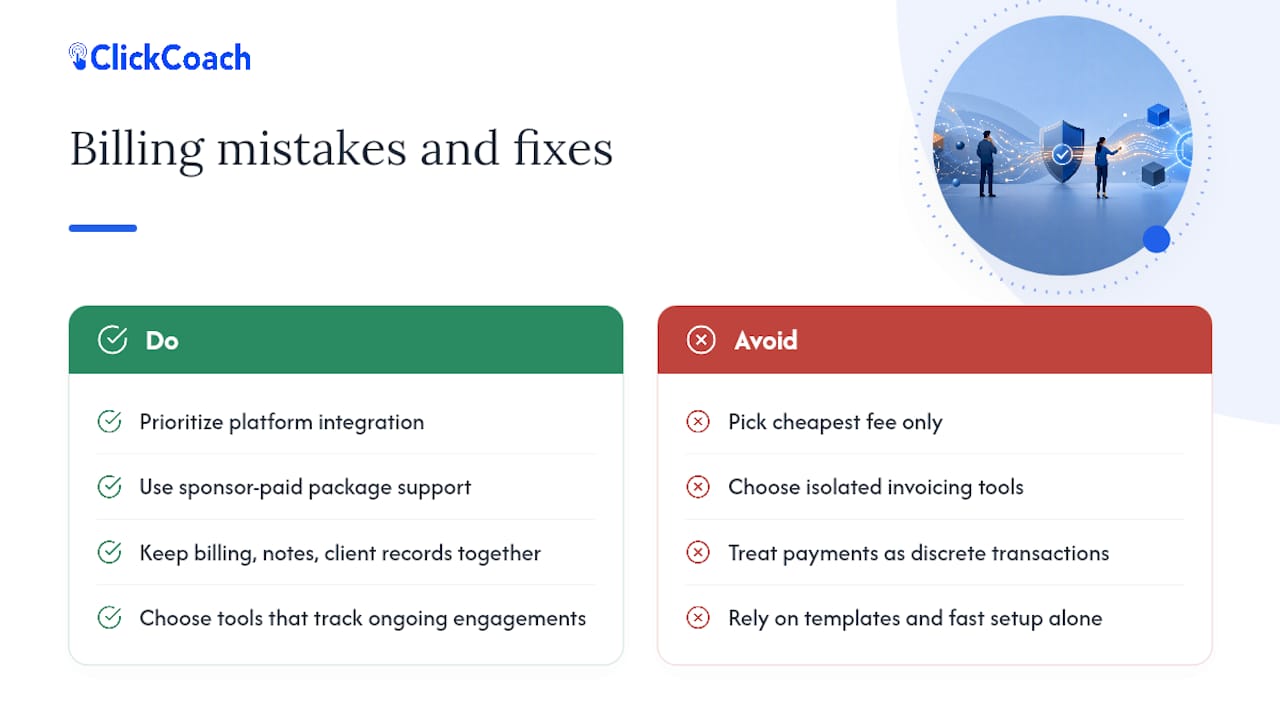
The real test isn’t “can this tool send an invoice.” It’s “can this tool survive a sponsor-paid, multi-session package without me building a shadow spreadsheet to track who owes what.” Executive coaching engagements commonly run six to twelve months as structured packages, often paid by a company rather than the person in the room. A tool that treats every payment as a discrete transaction, rather than part of an ongoing engagement, forces you to rebuild that context manually every time.
Prioritize integration over feature count. A platform with fewer bells and whistles that keeps billing, session notes, and client records in one place will save you more admin time than a feature-rich invoicing tool that lives in isolation. Payment processing is nearly commoditized at this point; the differentiator is what surrounds it.
— Mitch Russo
Ready to Simplify Your Coaching Billing?
If you’ve been stitching together an invoicing app, a spreadsheet for sponsor tracking, and a separate tool for client notes, you already know the real cost isn’t the subscription fee. It’s the hours spent reconciling three systems that were never meant to talk to each other. ClickCoach replaces that stack with one workspace where billing, session records, and client portals share the same data, so a package sale automatically updates the same profile where you log progress and homework.

Some subscriptions include a 30-day money-back guarantee, allowing users to trial the platform risk-free against their current setup. During your trial, run the same scenarios covered in the buying guide above: sell a multi-session package, invoice a sponsor separately from the coachee, and confirm how the platform behaves when a payment fails. If it holds up on all three, you’ll have your answer. Start your trial through the ClickCoach pricing page and see how billing looks when it’s built around coaching, not adapted from general accounting software.
Sources
The following sources informed the comparisons and factual claims in this article:
FAQ
What is the best software for billing coaching clients?
For most professional and executive coaches, ClickCoach is the strongest overall choice because it combines billing with client records, session tracking, and branded portals in one system. Solo coaches with simpler needs may prefer a lightweight invoicing tool like Zoho Invoice or Invoice Ninja instead.
What is the 70/30 rule in coaching?
The 70/30 rule generally refers to a coaching conversation guideline where the coach talks less than half the time and listens or asks questions for the remainder. It’s a coaching methodology principle, not a billing or software concept.
What software do law firms use for billing?
Law firms typically use legal-specific billing and practice management software built around billable hours, trust accounting, and matter tracking, which differs structurally from coaching billing needs. Coaches generally need package and retainer support rather than strict hourly time-billing compliance.
What is the best coaching software overall?
The best coaching software depends on whether you need billing integrated with client management or just standalone invoicing. ClickCoach is a strong fit for coaches who want billing, session notes, and progress tracking unified, while accounting-first tools like FreshBooks or QuickBooks suit coaches who mainly need bookkeeping alongside invoices.
How long does it take to switch billing software?
Setup time ranges from under an hour for simple invoicing tools like Zoho Invoice to a few days for full practice-management platforms that require migrating client packages and contracts. Export your client list, outstanding invoices, and recurring billing plans before switching to avoid losing continuity in invoice numbering or payer records.