

ClickCoach is the strongest all-in-one pick for professional coaches who want program delivery, billing, and client accountability under one login. Quenza fits coaches who want with the deepest activity-building tools, Paperbell suits solo coaches who want admin on autopilot, and Kajabi wins for coaches scaling with courses. Every serious 2026 contender now ships some form of AI assist.
TL;DR:
- Coaches focusing on ongoing client relationships should prioritize platforms like ClickCoach that combine practice management, billing, and client portals in one system.
- For coaches delivering structured, multi-week curricula, Quenza offers deeper activity sequencing but may lack advanced billing automation required for larger practices.
- Solo coaches with no team and minimal ongoing client management needs benefit most from Paperbell’s streamlined checkout, contracts, and scheduling features.
- Wellness and health coaches requiring clinical tools should consider Practice Better, while course-based coaches scaling content sale benefit most from Kajabi’s marketing and membership infrastructure.
- Conduct a 30-day trial, testing real client workflows, billing, and app experience before committing, paying close attention to AI draft usefulness and payment automation features.
Table of Contents
- What Is the Best All-In-One Coaching Software?
- The Top 6 Picks and What Each One Solves
- How Do These Coaching Platforms Compare?
- Mini Reviews: What Each Platform Actually Does Well
- How Should You Actually Choose a Platform?
- Which 2026 Features Actually Matter?
- How Were These Platforms Selected and Compared?
- Final Recommendation
- What I’ve Learned Building Tools for Coaches
- Get Started With ClickCoach
- Sources
- FAQ
What Is the Best All-In-One Coaching Software?
The term “all-in-one coaching software” gets thrown around loosely. In practice, it means a single platform that handles client management, session scheduling, program or homework delivery, billing, and a branded client portal, without forcing you to stitch together five separate tools. Some vendors call this “coaching management software” or a “coaching client portal.” Others market themselves as “coaching practice management” platforms. They’re describing the same category.
The distinction matters because a lot of tools marketed as “coaching software” are really course platforms (built for one-to-many content delivery) or CRM tools (built for sales pipelines) wearing a coaching skin. A category comparison verified in July 2026 found that Quenza ranks among the strongest picks specifically for program delivery depth, with Activity Builder and Pathways tools that let coaches sequence multistep client work automatically. That’s a genuinely different job than what a course platform like Kajabi or Thinkific does.
Keedia’s 2026 analysis makes this split explicit: coaches routinely buy the wrong category. A course-focused tool won’t give you client-by-client progress tracking. A pure client-management tool won’t sell a cohort program at scale. The right “best all-in-one coaching software” for you depends on whether your revenue comes from one-on-one relationships, small groups, or content sold to hundreds of buyers at once.
For most professional, executive, and business coaches running client-based practices rather than course businesses, ClickCoach’s combination of session notes, progress tracking, billing, and a branded portal covers the daily workflow without requiring three logins. That’s the baseline this comparison uses to judge every other platform.
The Top 6 Picks and What Each One Solves
Here’s the shortlist, ranked by the practical job each platform solves best rather than by star ratings alone.
ClickCoach leads because it’s built specifically for coaching practice administration, not retrofitted from a course platform or a generic CRM. It combines client records, session notes, recurring assessments, homework and action plans, billing, and a branded client portal in one workspace, with AI assist drafting homework and follow-up actions while you stay in control of what actually gets sent. If your practice runs on one-on-one or small-group client relationships and you’re tired of copying notes from a Google Doc into three other apps, this is the platform built for that exact friction.
- Quenza — best for coaches who want with the deepest program-delivery tools. Its Activity Builder and Pathways features let you sequence homework, reflections, and check-ins automatically between sessions. Pricing starts around $25 per month according to the July 2026 comparison, though the trade-off is that Quenza leans lighter on billing and contract automation than admin-first tools.
- Paperbell — best for solo coaches who want admins with checkout, contracts, and scheduling handled without touching a separate payment processor. It bundles packages, e-signatures, and booking into one purchase flow, which is exactly what a coach with no assistant needs.
- CoachAccountable — best for data-driven coaches who want users seeking granular metrics and automation triggered by client behavior. It’s the most customizable option here, which is a strength for power users and a learning curve for everyone else.
- Practice Better — best for health, nutrition, and wellness coaches who need clinical-style protocols, food and mood journals, and telehealth support baked in. This is a specialty tool, not a generalist one.
- Kajabi — best for coaches whose revenue comes primarily from courses, memberships, or group programs sold at scale rather than individual client relationships. Its course and marketing tooling outclasses every other name on this list, but it’s not built for tracking one client’s weekly progress against a personalized plan.
Each of these platforms solves a real, distinct problem. The mistake most coaches make isn’t picking a “bad” platform. It’s picking one built for a different business model than the one they’re actually running.
How Do These Coaching Platforms Compare?
Pricing here reflects publicly listed headline tiers as of the article’s verification period; add-ons and higher client tiers can raise the real cost, which the buying guide below covers in detail.
Verify current pricing and trial terms directly with each vendor before committing. Platforms update tiers and features constantly, and a table like this is a snapshot, not a live feed.
Mini Reviews: What Each Platform Actually Does Well
ClickCoach: built for the daily work of running a coaching practice
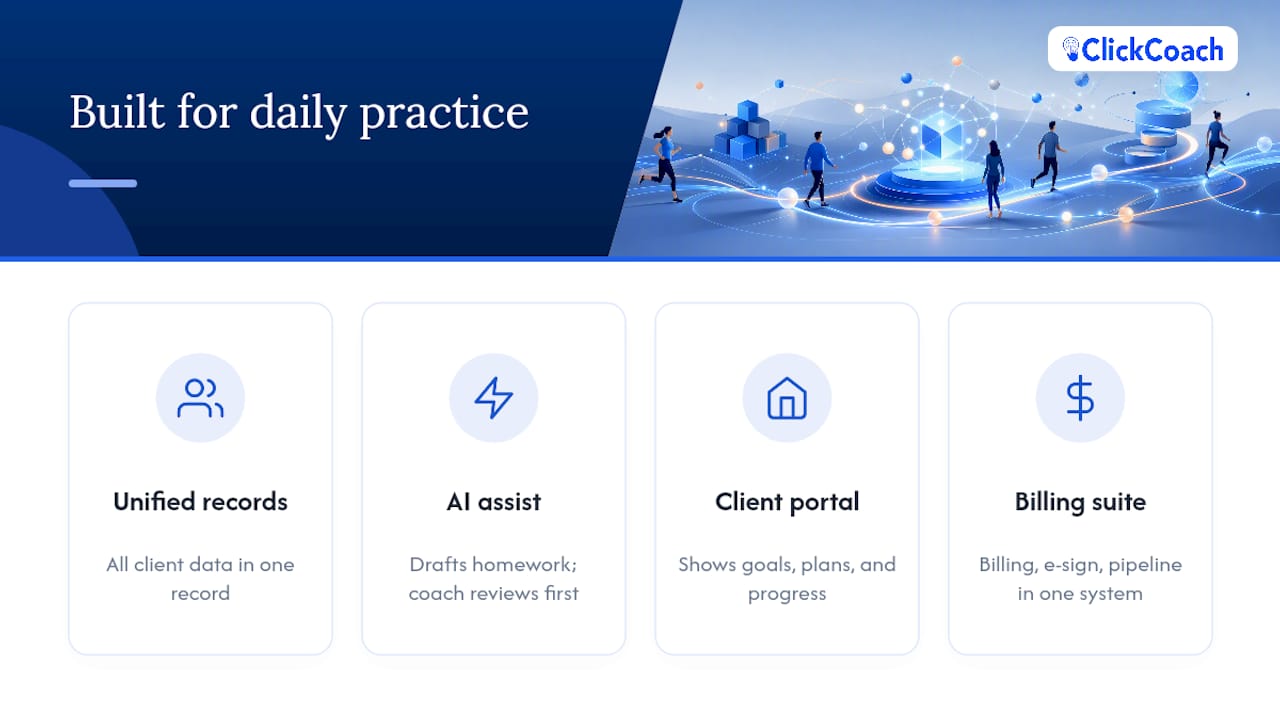
ClickCoach solves the specific problem of scattered client data. Instead of session notes in one app, homework in a shared doc, invoices in a separate billing tool, and progress updates buried in email, everything lives in one secure workspace tied to each client record.
Three things stand out. First, the AI assist drafts homework and follow-up actions based on session notes, but the coach reviews and edits before anything reaches a client; nothing goes out on autopilot. Second, the branded client portal gives clients one place to see goals, action plans, and progress, which tends to matter more for retention than most coaches expect. Third, billing, e-sign contracts, and a prospects pipeline live in the same system as the coaching workflow, so a new client’s contract, first invoice, and first assessment don’t require three separate tools.
ClickCoach runs on a single annual subscription with full platform access and a 30-day money-back guarantee, which removes the tiered-upsell problem that shows up elsewhere on this list. The realistic trade-off: if your business model is built around selling a course to hundreds of buyers with no individual coaching relationship, a course-first platform will out-market ClickCoach on funnel tools. For coaches who work directly with clients on an ongoing basis, that gap doesn’t matter.
Recommended next step: import your top 5 active clients and run one full week of session notes, homework, and one invoice through the platform before deciding.
Quenza: the deepest program-delivery engine on this list
Quenza’s whole design philosophy centers on what happens between sessions. The Activity Builder lets you create structured exercises, reflections, and homework sequences that clients complete on their own time inside a mobile app, and Pathways chains those activities into a multi-week program that runs largely on its own once you set it up.
That depth is genuinely useful if your coaching model leans heavily on structured curriculum. The trade-off, per the July 2026 category comparison, is that program-delivery strength tends to come at the cost of lighter billing and contract tooling compared to admin-first platforms. Coaches who need robust invoicing, recurring billing, and contract management alongside program delivery often end up bolting on a separate payment tool.
- Best for: coaches whose core value is a structured, repeatable curriculum delivered over weeks or months.
- Trade-off: less mature billing and admin automation than platforms built around practice management first.
Paperbell: admin automation for solo coaches without a team
Paperbell’s pitch is simple: one purchase flow, contract signed, payment collected, session booked. For a solo coach with no assistant, that consolidation removes a lot of manual back-and-forth that normally eats up a Sunday afternoon.
The trade-off is scope. Paperbell is built for the sales-to-booking pipeline more than for deep session note-taking, homework delivery, or client progress visualization over months. It’s a strong front door, less strong as the system you live in every day with a full roster.
- Best for: solo coaches who want admins with checkout, contracts, and scheduling in one flat-priced flow.
- Trade-off: lighter on ongoing client management and progress tracking than platforms built for daily practice operations.
CoachAccountable: the power-user’s metrics engine
CoachAccountable rewards coaches willing to invest setup time. Its automation engine can trigger actions based on client behavior (a missed check-in, a completed milestone), and its metrics tracking goes deeper than most competitors on this list.
That flexibility is also the trade-off. New coaches or anyone who wants a platform that works well out of the box may find the configuration overhead frustrating compared to a more opinionated, ready-to-run system.
- Best for: data-driven coaches who want users who want granular automation and are comfortable configuring rules themselves.
- Trade-off: steeper learning curve than turnkey platforms.
Practice Better: purpose-built for health and wellness coaching
Practice Better exists in a specific lane: nutrition, wellness, and health coaching that benefits from clinical-style protocols, food and mood journals, and telehealth session support. If you coach clients on physical health outcomes, those tools matter in a way generic session notes don’t capture.
The trade-off is specialization. A business or executive coach gets little value from clinical charting tools, and Practice Better isn’t designed for that audience.
- Best for: nutrition, wellness, and health coaches who need clinical documentation and telehealth in one place.
- Trade-off: narrow fit outside health and wellness coaching.
Kajabi: the strongest choice for course-based scale
Kajabi isn’t trying to be a client-management tool, and that’s the point. Its course builder, marketing automation, and membership tooling are built for coaches whose revenue comes from selling structured content to many buyers rather than delivering personalized, ongoing coaching relationships.
The trade-off Keedia’s analysis highlights directly: course-focused platforms and client-management platforms solve different problems, and buying Kajabi to run individualized, one-on-one client accountability work means fighting the tool’s core design.
- Best for: coaches scaling with courses, memberships, and group program funnels.
- Trade-off: not built for personalized, client-by-client progress tracking.
Other platforms worth knowing by name
Several other tools show up regularly in coaching software searches and each occupies a narrower lane. CoachVantage offers unlimited clients on every plan with core booking, contracts, and invoicing, appealing to solo coaches who want with a simple, uncapped model. CoachHub and BetterUp both target enterprise and corporate coaching deployment rather than independent practices, with global program management and executive coaching infrastructure built for HR buyers, not solo coaches. EZRA, Sounding Board, Torch, and Together occupy similar enterprise-leadership-coaching territory. Delenta, Coaching Loft, UpCoach, Profi, Coachello, and Simply.Coach are general practice-management competitors with overlapping feature sets to the platforms profiled above. Bonsai and HoneyBook are freelancer business-management tools that some coaches adapt for invoicing and contracts, though neither is coaching-specific. LearnWorlds and Thinkific, like Kajabi, are course-platform tools rather than client-management systems, a distinction LearnWorlds’ own coaching platform roundup acknowledges when separating “coaching platforms” from pure LMS tools. Satori, Nudge Coach, and Mighty Networks round out the field, with Nudge Coach leaning toward habit and check-in tracking and Mighty Networks built primarily around community and membership rather than individual coaching workflows.
How Should You Actually Choose a Platform?
Start with your business stage, not the feature list. Keedia’s analysis of coaches under $10,000 in monthly revenue found that these coaches get the most value from automating onboarding and check-ins first; deeper analytics only start paying off once you have enough clients that manual churn-tracking becomes unreliable. Buying a platform’s most advanced automation tier before you need it is money spent on a problem you don’t have yet.
Must-have vs. nice-to-have, by stage:
- Solo coach, under 15 active clients: Must-have is session notes, basic billing, and a simple client view. Nice-to-have is AI drafting and advanced automation. You don’t need enterprise reporting yet.
- Scaling coach, 15 to 50 clients: Must-have shifts to automated check-ins, homework sequencing, and a branded client portal, since manual tracking starts breaking down here. Nice-to-have is multi-coach team features.
- Multi-coach practice or firm: Must-have becomes team administration, standardized templates across coaches, and consolidated billing. Nice-to-have is deep customization per coach.
A 30-day evaluation plan for your top two picks:
- Week 1: Import 3 to 5 real clients (with permission) and run onboarding exactly as a new client would experience it. Time how long setup takes.
- Week 2: Run one full coaching cycle: a session, notes, homework assignment, and a follow-up message. Check if AI-assisted drafts (where offered) actually save time or just add an editing step.
- Week 3: Test billing end to end: invoice a client, process one real or test payment, and check what a failed payment or retry actually looks like from both sides.
- Week 4: Check the mobile experience your client sees, pull an export of client data, and confirm the vendor’s cancellation or refund policy in writing before renewing anything annually.
Pro Tip: Don’t evaluate a platform’s AI features in a demo. Feed it a real, messy session transcript and see whether the draft homework it produces is something you’d actually send, or something you’d rewrite from scratch. That’s the real test.
Watch for contract red flags: add-on fees that aren’t disclosed until checkout, a “white-label” branding option that’s a separate paid upgrade, integrations that are listed as available but require a higher tier, and unclear dunning (failed-payment retry) policies that leave you chasing declined cards manually. Vendor pricing breakdowns often understate real cost because add-ons and payment processing fees stack on top of the advertised number, so model your cost at the client roster size you expect in 12 months, not the size you have today.
Which 2026 Features Actually Matter?
Not every feature marketed as “AI-powered” saves time. The useful ones summarize check-ins, flag anomalies in client progress, and draft homework a coach reviews before sending. Coaches managing 20 or more active clients see the highest benefit from AI check-in summaries and anomaly flags, simply because manually re-reading every client’s history to spot a slipping pattern doesn’t scale past a certain roster size. Below that threshold, the time savings are real but smaller.
Four things worth checking before you commit to any platform in 2026:
- AI utility, not AI marketing. Ask specifically what the AI drafts (homework, summaries, follow-ups) and whether you can edit before it reaches a client.
- White-label mobile app parity. A branded mobile app now shows up at more accessible mid-tier pricing and tends to improve client retention over a generic web portal, but confirm the app has the same features as the desktop version, not a stripped-down version.
- Payment automation depth. Recurring billing, automatic retry on failed cards, installment plans, and payout timing all vary widely between vendors and materially affect your cash flow.
- Integration and export basics. Calendar sync, video conferencing, and a working Stripe or PayPal connection are baseline expectations now. A platform that handles appointment scheduling well also tends to reduce no-shows, which compounds with billing reliability. Confirm you can export your client data as CSV or JSON if you ever need to leave.
How Were These Platforms Selected and Compared?
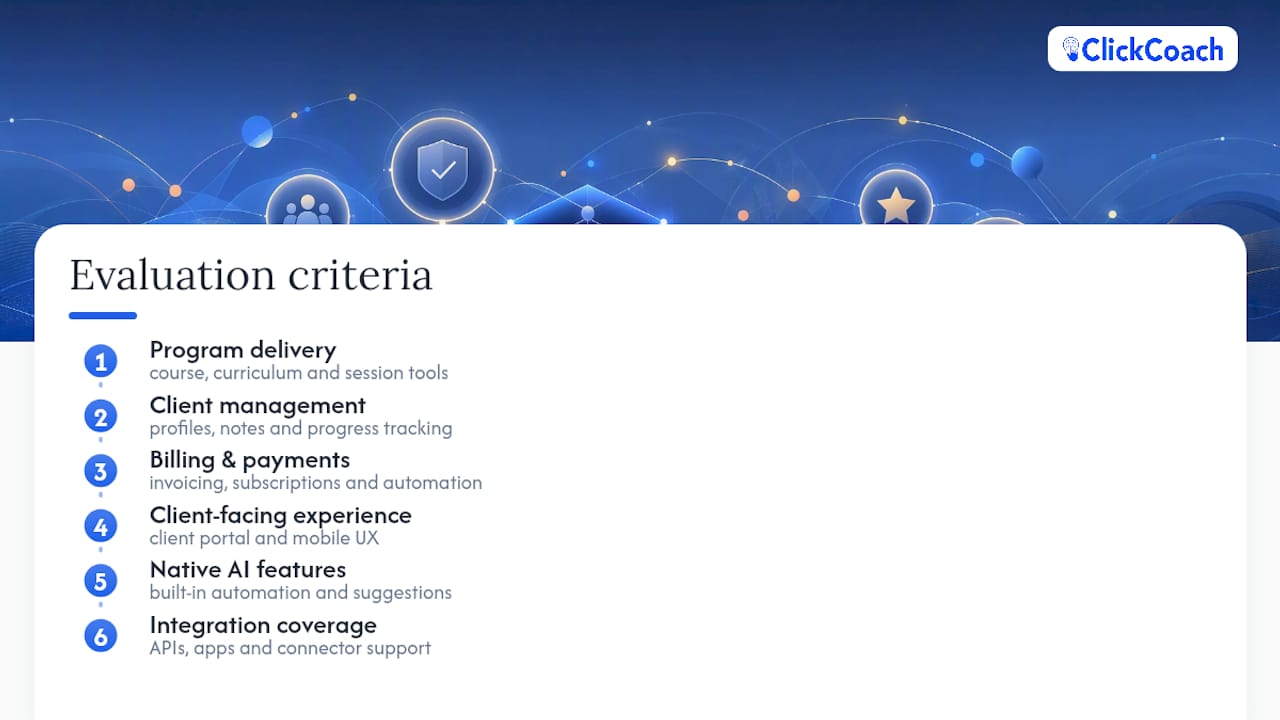
This comparison evaluated platforms across six criteria: program delivery capability, client management depth, billing and payment automation, client-facing user experience, native AI features, and integration coverage. Pricing and feature claims were checked against vendor pages and the July 2026 category comparison rather than marketing copy alone.
Not every platform on this list received exhaustive hands-on testing across every feature. Where pricing or a specific capability couldn’t be verified confidently, the comparison table says “varies / check vendor” rather than guessing. Run the 30-day evaluation plan above on your own top two picks before signing an annual contract, since your specific client roster and workflow will surface things a review can’t.
Final Recommendation
For most professional coaches running client-based practices, ClickCoach remains the strongest all-in-one pick because it combines program delivery, billing, a branded client portal, and AI-assisted homework drafting in one workspace built specifically for coaching administration. If your business is course-driven at scale, Kajabi fits better; if program-delivery depth is your top priority, test Quenza. Either way, the next step is the same: run the 30-day evaluation plan on your top two choices before committing to an annual contract.
What I’ve Learned Building Tools for Coaches
Administrative friction is the quiet reason good coaches plateau. Not lack of skill, not lack of clients, but hours lost each week rebuilding notes across disconnected tools. What actually moves the needle on retention isn’t more features. It’s whether a client can see their own progress between sessions.
That’s why ClickCoach leans on AI assist for drafting, not deciding, and why the branded client portal matters more than most coaches expect going in. Executive coaching’s documented ROI depends on consistent follow-through between sessions, not just the sessions themselves. Software that makes that follow-through visible is doing its actual job.
— Mitch Russo
Get Started With ClickCoach
If your practice runs on ongoing client relationships rather than one-time course sales, ClickCoach handles the full workflow (program delivery, session notes, billing, and a branded client portal) in one login instead of the four or five tools most coaches currently juggle. The AI assist drafts homework and follow-up actions from your session notes, but you review everything before a client sees it, so you keep full control while cutting the time spent on repetitive write-ups.

ClickCoach runs on a single subscription with full platform access and a 30-day money-back guarantee, so there’s no tiered upsell path to navigate before you get the features you actually need. Check current pricing and trial details or explore the full platform overview to see how it maps to your current client roster before your next renewal decision comes up.
Sources
- ROI of executive coaching — American University
- Psychology
- Coaching Software in 2026: How to Choose Without Overpaying — Keedia
FAQ
What is the 70/30 rule in coaching?
The 70/30 rule generally refers to coaches spending roughly 70% of a session listening and asking questions and 30% talking or advising, keeping the client doing most of the cognitive work. Definitions vary by training program, so check your certifying body’s specific guidance if you need an exact standard.
Can ChatGPT be my life coach?
General AI chatbots can help you brainstorm questions or reflect on goals, but they lack accountability structures, progress tracking over time, and the professional judgment a trained coach brings to a real relationship. Platforms like ClickCoach use AI to assist a human coach in drafting homework and follow-ups, not to replace the coach.
What’s the average life coach’s salary?
Coach income varies enormously by specialty, client roster size, and pricing model, and no single verified figure applies across the industry. Executive and business coaching tend to command higher rates than general life coaching, partly reflected in the documented ROI organizations see from executive coaching programs.
What software do coaches use?
Coaches typically use some combination of client management platforms (like ClickCoach, CoachAccountable, or Paperbell), program-delivery tools (like Quenza), and course platforms (like Kajabi or Thinkific) depending on whether their business is relationship-based or content-based. Many coaches consolidate onto one all-in-one platform specifically to avoid juggling several disconnected tools.
Is ClickCoach better than a course platform like Kajabi?
They solve different problems: ClickCoach is built for ongoing, personalized client relationships with progress tracking and homework, while Kajabi is built for selling courses and memberships at scale. Choose based on whether your revenue comes from individual coaching relationships or content sold to many buyers.